CyberFreezeDev Loading
  1. Home
  2. Comparisons
  3. Chatbot vs AI agent

Chatbot vs AI agent: answering questions or doing the work

A chatbot replies with text. An agent reads, decides and changes things in your systems.

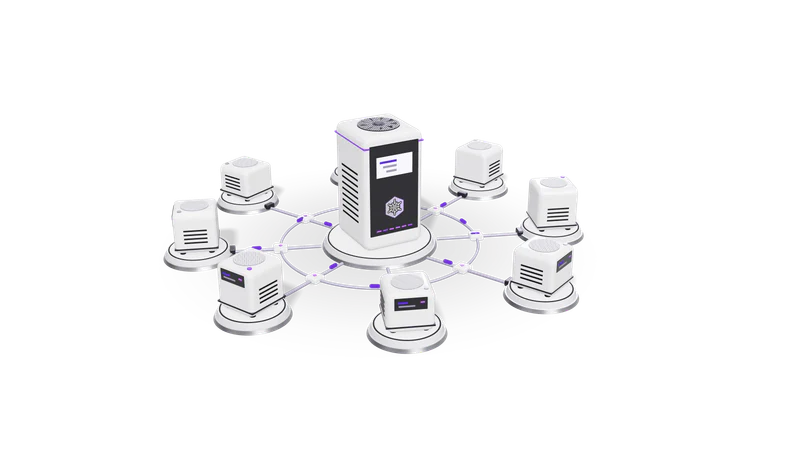
3D render of small AI agent units on plinths, cabled to a central orchestrator unit

The short answer

Use a chatbot for questions and an agent for multi-step back-office work that varies. The real difference is risk: an agent can change records.

Read more about The short answer

A chatbot takes a message and replies. Older chatbots follow scripted menus; modern ones use a language model, often with retrieval over your documents, to write the reply. Either way, the output is text for a person to read. Use one for FAQs, policy questions, website help and first-line support.

An AI agent is given a goal and a set of tools: read an inbox, search a database, create a record, call an API. It decides which tool to use, looks at the result, and continues until the job is done or it needs a person. Use one for multi-step back-office work where the steps vary from case to case.

The chatbot vs AI agent question is really about risk. A chatbot that is wrong gives a bad answer. An agent that is wrong can send an email, change a record or move money. So agents need narrower permissions, logs and human approval at the points that matter. We build both through AI agent development and RAG chatbots.

Side by side

Compared onChatbotAI agent
OutputA reply in the conversationActions in other systems, plus a report of what it did
Steps per requestUsually one: question in, answer outSeveral: plan, call a tool, read the result, decide again
Access neededRead access to approved contentScoped read and write access to specific systems
Typical jobsFAQs, policy lookup, order status, booking questionsReconcile a bank line, draft an invoice from an email, update a CRM after a call
Cost per requestLow and predictableHigher and variable: each step uses more tokens
SpeedSecondsSeconds to minutes, depending on steps
Main failureWrong or invented answerWrong action, loops, or acting on bad input
SafeguardsAnswer from sources, show citations, hand off to a personLeast-privilege tools, approval before writes, full action logs, step limits
TestingA set of questions with expected answersScenarios with expected end states in a test copy of each system

Where each one wins

Chatbots win on predictable, high-volume questions

The same daily questions answered from your documents at any hour, with the rest handed to staff.

Read more about Chatbots win on predictable, high-volume questions

What are your clinic timings, Is this policy cashless, Where is my order. These are the same questions every day. A chatbot answering from your own documents handles them at low cost per conversation, any hour, and hands the rest to staff.

Chatbots win on safety by default

Read-only access cannot damage anything, so a chatbot suits a first AI project.

Read more about Chatbots win on safety by default

A chatbot with read-only access cannot damage anything. That makes it the right first project for a team new to AI, and easy to put on a website or WhatsApp number quickly.

Agents win on work that crosses systems

An agent does the legwork across several screens and leaves one decision for a person.

Read more about Agents win on work that crosses systems

Reading a supplier's emailed bill, finding the vendor, checking whether it is already recorded and drafting the entry takes a person several minutes across three screens. An agent can do the legwork and leave one decision for a person.

Agents win when the steps vary

When the next step depends on what was found, choosing tools is worth the cost.

Read more about Agents win when the steps vary

Fixed sequences belong in a normal workflow tool such as n8n. When the next step depends on what the last one found, such as a missing GSTIN, a duplicate customer or a partial payment, an agent's ability to choose the next tool is worth its higher cost.

How we make agents safe in our own products

Fig. 01 High angle: each agent unit cabled to the orchestrator

The agent proposes and a person confirms. Fint records no money until someone confirms, and client agents get narrow tools, logs and step limits.

Read more about How we make agents safe in our own products

We use the same pattern in our products that we use for clients: the agent proposes, a person confirms.

In Fint, our invoicing and GST product for Indian businesses, an AI agent drafts expenses from bills, matches deposits to invoices and suggests corrections, but every proposal waits in an Inbox. Money is never recorded until a person confirms it. In Desk, our CRM and project management product, an AI assistant can be given work to do inside the system.

For client agents we apply the same rules: each tool does one thing, write access is limited to what the job needs, irreversible actions need approval, every tool call is logged with its inputs and outputs, and there is a hard limit on steps per task. The Model Context Protocol is one standard way to expose such tools to a model, and our MCP server development service builds those servers.

How the costs are structured

A chatbot request is usually one model call. An agent makes several, each carrying a growing history, so budget from measured runs.

Read more about How the costs are structured

Both run on language models billed per token if you use a cloud API, or on your own hardware if you run a local model.

A chatbot request is usually one model call with your question and some retrieved passages, so costs are low and easy to forecast from conversation volume.

An agent request is several model calls, and each one carries the growing history of what the agent has already done, plus the descriptions of every tool it may use. A task with eight steps can cost many times a single chat reply, and the number of steps differs per task. Budget from measured runs on real cases, not from a per-message estimate.

The engineering cost differs too. A chatbot needs good content and retrieval. An agent needs integrations with each system, permission design, test environments and monitoring, which is real software work.

What we recommend and why

Start with the narrowest fix: a chatbot for questions, a workflow for fixed steps, and an agent in proposal-only mode for varied work.

Read more about What we recommend and why

Start with the narrowest thing that solves the problem. If customers mostly ask questions, build a chatbot that answers from your documents and hands off to a person cleanly. If staff spend hours on repetitive steps that always happen in the same order, build a normal workflow first; it is cheaper and easier to test than an agent.

Build an agent when the work genuinely varies case by case, the systems have APIs, and you can name the point where a person must approve. Start it in proposal-only mode, measure how often its proposals are accepted unchanged, and widen its permissions only when the numbers support it.

For the vocabulary, see AI agent in our glossary.

Questions

Is ChatGPT a chatbot or an agent?

The basic chat is a chatbot. When it browses the web, runs code or uses connected apps on your behalf, it is acting as an agent. The line is whether the system takes actions with tools, not which model is underneath.

Can a chatbot become an agent later?

Yes. A common path is a chatbot that answers questions, then gains one read tool (look up an order), then one write tool with approval (raise a return request). Adding tools one at a time keeps each step testable.

What stops an agent from doing something harmful?

Design, not hope. Give it only the tools it needs, make those tools narrow, require a person to approve anything irreversible, cap the number of steps, and log every call. Prompt instructions alone are not a security control.

Do agents replace staff?

In the systems we build, agents prepare the work and people decide. That moves staff time from typing and searching to checking and handling exceptions.

Last updated