CyberFreezeDev Loading
  1. Home
  2. Services
  3. WhatsApp CRM automation

WhatsApp automation for business: capture, qualify and route every lead

Every WhatsApp enquiry becomes a lead with an owner, a stage and a follow-up.

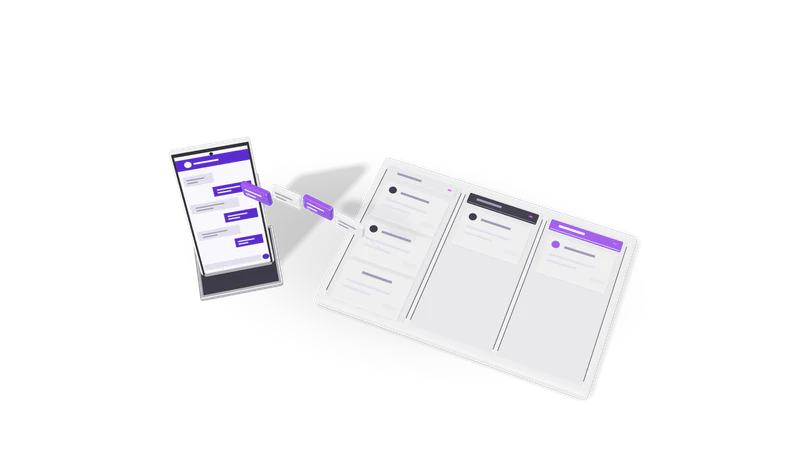
3D render of a phone sending chat bubbles into a three lane CRM pipeline board

At a glance

WhatsApp CRM automation
Channel
WhatsApp Business Platform (Cloud API)
Lead sources
Click-to-WhatsApp ads, website chat buttons, forms, QR codes
Qualification
AI reads the chat and fills budget, need, location, timeline
Routing
By territory, product, language or round robin
Messages
Approved templates, scheduled and batch sends, follow-ups
CRM
Desk, or your existing CRM through its API
Built with
n8n, WhatsApp Business API, Claude

Why automate WhatsApp, and not just use the WhatsApp Business app

The free app works for one person with one phone. Sales teams outgrow it quickly.

On the Business app, chats live on one phone. On the platform, each chat is linked to a lead record that managers can see.

Read more about Why automate WhatsApp, and not just use the WhatsApp Business app

With the WhatsApp Business app, chats live on one handset. When a rep leaves, the conversations leave with them. Nobody can see which leads were answered, which were promised a quote, or which went cold last Tuesday.

WhatsApp automation for business moves those conversations onto the WhatsApp Business Platform and links each chat to a lead record. The CRM knows who the person is, which ad or page they came from, what they asked for, who owns them, and when the next message is due. Managers see the pipeline; reps see their own queue.

We sell this two ways: as a configured product on top of Desk, our own CRM, or as a build that plugs into the CRM you already use. If you only need the WhatsApp account, number and templates set up, that is a smaller job covered under WhatsApp Business API setup. If you want a ready product rather than a custom build, see WhatsApp CRM, including its chat history search.

What we build

Lead capture from every entry point

Ads, website chat, QR codes and forms feed one lead record, tagged by source.

Read more about Lead capture from every entry point

Click-to-WhatsApp ads on Meta, the chat button on your website, QR codes on brochures and store counters, and web forms all create or update the same lead record. The source is tagged so you can see later which channel brought which customer.
AI qualification

A model fills need, budget, city and timeline from the chat, without quoting prices.

Read more about AI qualification

A model reads the first few messages and fills the fields your sales team cares about: what the person wants, budget range, city, timeline, and whether they are a buyer or just asking. It can ask one or two follow-up questions in the chat when something is missing. It does not quote prices or make promises.

Routing to the right rep

Leads assigned by territory, product, language or round robin, each with one clear owner.

Read more about Routing to the right rep

Leads are assigned by your rules: territory, product line, language, deal size, or simple round robin. The rep gets a notification with the summary, and the lead's owner is set in the CRM so nobody double-handles it.

Follow-ups that actually go out

Reminders, confirmations and payment links go out on schedule and stop when customers reply.

Read more about Follow-ups that actually go out

Reminder sequences, appointment confirmations, payment links and re-engagement messages, sent on schedule using approved templates. When the customer replies, the sequence stops and the rep takes over.

Shared inbox and history

Several people work one number, with full chat history beside each lead.

Read more about Shared inbox and history

Several people can work the same number. Full chat history and contact lookup sit next to the lead record, so whoever picks up the conversation sees everything that was said before.

Pipeline reports

Leads by source, response time, stage and rep workload, sent daily or weekly.

Read more about Pipeline reports

Leads by source, response time, stage movement and rep workload, sent daily or weekly to managers. For combining this with ad spend, see marketing intelligence dashboards.

WhatsApp rules we design around

Meta sets these rules, and a system that ignores them gets numbers restricted.

The 24-hour customer service window

Free replies for 24 hours after a customer writes; after that, only approved templates.

Read more about The 24-hour customer service window

After a customer messages you, you can reply freely for 24 hours. Outside that window, the business can only start a conversation with a message template Meta has approved. Our follow-up sequences check the window before each send and choose a template when needed.

Templates and categories

Templates written to pass review, with reminders in the cheaper category where they fit.

Read more about Templates and categories

Templates are submitted for approval and fall into categories such as marketing, utility and authentication, which are billed differently. We write templates that pass review and keep reminders in the cheaper category where the content genuinely fits it.

Opt-in and consent

Each contact's opt-in is recorded with where and when, and opt-outs are honoured automatically.

Read more about Opt-in and consent

Meta requires customers to opt in before you message them, and India's DPDP Act, 2023 expects consent for a stated purpose. We record where and when each contact opted in and honour opt-out replies automatically.

Number quality

Batch sends are paced and targeted so blocks do not limit your number.

Read more about Number quality

Blocks and reports lower your number's quality rating and can limit how many people you can message. Batch sends are paced and targeted so one campaign does not damage the number your sales team depends on.

How a project runs

Fig. 01 Overhead: messages filed into three pipeline lanes
  1. 01 Map the sales process

    Lead sources, rep questions, deal stages and forgotten follow-ups, listed with your sales team.

    Read more about Map the sales process

    We sit with a sales manager and two reps, list every lead source, the questions reps ask, the stages a deal moves through, and the follow-ups that get forgotten.

  2. 02 Set up the WhatsApp account

    Verification, number and first templates, started first because approval is in Meta's hands.

    Read more about Set up the WhatsApp account

    Meta Business verification, a dedicated number, display name and the first set of templates. Verification and template approval are in Meta's hands, so we start this first.

  3. 03 Connect the CRM and build the flows

    Capture, qualification, routing and follow-up flows, usually on n8n, tested on your past chats.

    Read more about Connect the CRM and build the flows

    Capture, qualification, routing and follow-up flows, usually on n8n, connected to Desk or your CRM. The qualification prompts are tested on real past chats you share with us.

  4. 04 Pilot with a few reps

    A few reps use it on live leads while rules and wording are fixed.

    Read more about Pilot with a few reps

    A small group uses it on live leads. We fix routing rules, template wording and anything the reps find awkward before the whole team moves over.

  5. 05 Roll out and train

    The whole team switches over; managers get reports and your admin an editing guide.

    Read more about Roll out and train

    The full team switches over, managers get their reports, and your admin gets a short guide to editing templates, rules and assignments.

Example engagement

Described without the client's name, as agreed.

For a B2B sales team, n8n, the WhatsApp API and Claude capture, qualify, route and follow up. We do not build broadcasts to bought lists.

Read more about Example engagement

For a B2B sales team we built a WhatsApp CRM using n8n, the WhatsApp Business API, their CRM and Claude. Enquiries from WhatsApp are captured as leads, Claude reads the conversation and fills the qualification fields, the lead is routed to a rep, and scheduled follow-ups keep the conversation moving until the rep closes or drops it.

Where it does not fit: if you send a handful of messages a week, the WhatsApp Business app is enough and costs nothing. If what you need is mass promotional broadcasting to bought lists, we will not build it; it breaks Meta's rules and puts your number at risk.

Questions

Is this the official WhatsApp API?

Yes. We build on the WhatsApp Business Platform that Meta provides for businesses, using approved templates. We are not a Meta partner and do not claim to be; your account is registered in your own business's name.

Can we keep our existing WhatsApp number?

Often yes, but a number registered on the API cannot be used in the regular WhatsApp or WhatsApp Business app at the same time. Many teams keep the old number on the app for personal contacts and put a new number on the API for sales. We go through the options before migrating anything.

Which CRMs can you connect?

Our own Desk CRM, or any CRM with a usable API. We also build integrations with Google Workspace so leads can land in Sheets if that is where your team works today.

Does the AI reply to customers on its own?

Only where you allow it, usually for greetings, collecting basic details and answering a fixed set of questions. Prices, discounts and commitments are left to your reps. Every AI message is logged against the lead.

What does Meta charge?

Meta charges per template message, with rates that depend on the template category and the customer's country, and it revises them from time to time. We check the current pricing page with you during setup so there are no surprises.

Do you work with businesses outside India?

Yes. The same setup works for teams in the UK, the Gulf, Singapore and Malaysia. We adjust consent wording for UK GDPR or local rules where needed.

Last updated