CyberFreezeDev Loading
  1. Home
  2. Products
  3. WhatsApp CRM

WhatsApp CRM that turns chats into qualified, assigned leads

WhatsApp CRM for sales teams: each enquiry becomes a lead, assigned to a rep and followed up.

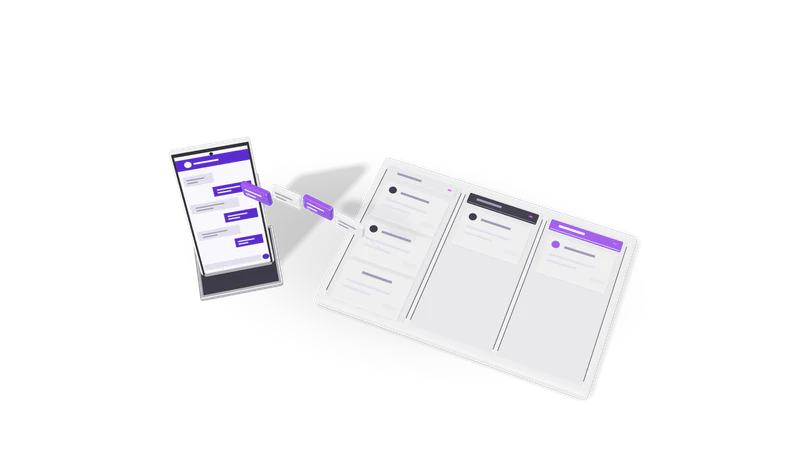
3D render of a phone sending chat bubbles into a three lane CRM pipeline board

At a glance

WhatsApp CRM
Channel
WhatsApp (setup agreed per client)
Inbound
Lead capture and qualification from incoming chats
Assignment
Routing to sales reps by rules you set
Outbound
Scheduled messages, batch messages, follow-ups
Lookup
Chat history and contact search
CRM
Desk, or the CRM you already use
Delivery
Product plus setup service
Getting access
Demo on request

What WhatsApp CRM is

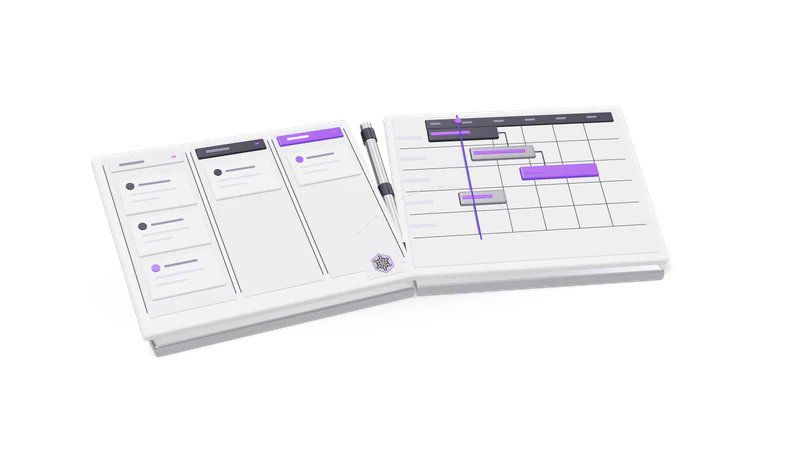
Fig. 01 A won deal becoming a project on the board

Each new WhatsApp chat becomes a lead that is qualified, assigned and followed up. It comes as a product and as the setup service around it.

Read more about What WhatsApp CRM is

For many businesses in India and the Gulf, WhatsApp is where enquiries actually arrive. A clinic gets appointment questions there, a real estate team gets site visit requests from property portal ads, an admissions office gets parents asking about fees. The trouble starts when that WhatsApp number is one phone on one desk: chats get answered late, nobody knows which rep owns which lead, and follow-ups depend on someone's memory.

WhatsApp CRM fixes that. Each new conversation becomes a lead record. The lead is qualified with a few questions, assigned to a sales rep, and kept on a follow-up schedule until it is won, lost or parked. Managers can search the chat history of any lead, and reps can send scheduled and batch messages without copying numbers into a phone.

It is both a product and a service. The product is the lead pipeline on WhatsApp. The service is the setup work every business needs first: the WhatsApp number and how it is connected, message templates where the setup uses them, your qualification questions and routing rules, and the link to your CRM. See WhatsApp Business API setup and WhatsApp CRM automation service for that side.

Who it is for

B2B sales teams

Managers see who replied, who did not and which leads are going cold.

Read more about B2B sales teams

Several reps sharing inbound enquiries, where the manager needs to see who replied, who did not, and which leads are going cold. Our anonymous B2B engagement is this case.
Clinics and healthcare

Patient questions on timings and treatments go to the right coordinator.

Read more about Clinics and healthcare

Patients ask about timings, treatments and appointments on WhatsApp. Routing sends dental questions to one coordinator and billing questions to another.

Real estate

Budget, location and timeline captured before a rep calls.

Read more about Real estate

Enquiries from ads and listings arrive at all hours. Qualification captures budget, location and timeline before a rep calls.

Education and training

Batch messages and follow-ups keep each applicant moving through admissions.

Read more about Education and training

Admissions teams answer the same fee and batch questions all season. Batch messages and follow-ups keep each applicant moving.

How it works

Fig. 02 Overhead: messages filed into three pipeline lanes
  1. 01 A message arrives

    A new chat from an ad, site, QR code or contact creates or matches a lead.

    Read more about A message arrives

    A prospect writes to your WhatsApp Business number from an ad, your website, a QR code or a saved contact. A lead is created or matched to an existing one. See lead capture and qualification.

  2. 02 Qualify

    First replies collect need, budget, location and timeline, with a human handover available.

    Read more about Qualify

    The first replies ask what your sales team needs to know: what they want, budget, location, timeline. An AI step can read free-text answers and sort them, with a human handover always available.

  3. 03 Route

    Your rules assign the lead by product line, city, language or round robin.

    Read more about Route

    The qualified lead goes to a rep by your rules: product line, city, language or round robin. See routing to sales reps.

  4. 04 Follow up

    Quiet leads get scheduled follow-ups, using approved templates after the 24-hour window.

    Read more about Follow up

    If the lead goes quiet, a follow-up is scheduled. Inside the 24-hour window it can be a normal message; after that it must be an approved template. See follow-up automation.

  5. 05 Record

    Status, owner and outcome are written to your CRM for pipeline reports.

    Read more about Record

    Status, owner and outcome are written to your CRM, so pipeline reports include WhatsApp leads. See CRM sync with Desk.

WhatsApp's rules, built in

Meta sets these rules. Every setup we do follows them.

Opt-in first, free-form replies only inside the 24-hour window, per-template billing by Meta, and always a route to a person. We are not a Meta partner.

Read more about WhatsApp's rules, built in
  • Opt-in first. The WhatsApp Business Messaging Policy allows you to message people who gave you their number and agreed to receive messages from you. We design the opt-in step with you: a form checkbox, a click-to-chat ad, or the customer writing first.
  • The 24-hour customer service window. When a customer messages you, a 24-hour window opens and resets with each new message from them. Inside it you can reply freely. Outside it you can only send approved message templates, which fall into marketing, utility and authentication categories.
  • Pricing is per template message. Since 1 July 2025 Meta charges per delivered template message, and non-template replies inside an open window are free. See Meta's pricing page. Meta bills that directly; it is separate from our work.
  • A route to a human. Automation is allowed inside the window, but the policy expects a clear way to reach a person, so every flow we build has one.

We are not a Meta Business Partner and do not claim to be. Where a setup uses Meta's platform, it runs under your own business account. To give customers a link that opens a chat with you, use our free WhatsApp link generator.

Capabilities

Follow a name for the full feature page.

How a demo works

  1. 01 Tell us about your enquiries

    Where leads come from, how many reps handle them, and your CRM.

    Read more about Tell us about your enquiries

    Where leads come from, how many reps handle them, and which CRM you use, if any.

  2. 02 Watch a lead go through

    A test enquiry runs through qualification, routing, follow-up and the CRM record.

    Read more about Watch a lead go through

    We show a test enquiry going through qualification, routing, a follow-up and the CRM record.

  3. 03 Map your setup

    We list what your setup needs and what we would build first.

    Read more about Map your setup

    We list what your setup needs: how the WhatsApp number is connected, templates, qualification questions, routing rules and CRM connection, and what we would build first.

Questions

Is this the WhatsApp Business app?

Each setup is agreed per client. For teams that need several agents on one number and automated templates, we build on the WhatsApp Business Platform; see WhatsApp Business API setup.

Are you an official Meta partner?

No. We are not a Meta Business Partner. Where a setup uses Meta's public WhatsApp Business Platform, we follow its policies.

Do I have to use Desk as my CRM?

No. Desk is our own CRM and the simplest fit, but we build integrations with other CRMs through their APIs, often with n8n.

Can AI reply to customers?

Yes, inside the 24-hour window, for things like qualification questions and common answers. Every flow keeps a handover to a person, which WhatsApp's policy expects.

Can we message our whole customer list?

Only people who opted in, and outside the 24-hour window only with approved templates. We help you set up opt-in and templates so batch messages stay within the rules.

Last updated