CyberFreezeDev Loading
  1. Home
  2. Services
  3. GPU servers and AI hardware

GPU servers and AI hardware, specified for the work you will run

GPU builds sized for memory, power and heat, then set up and monitored.

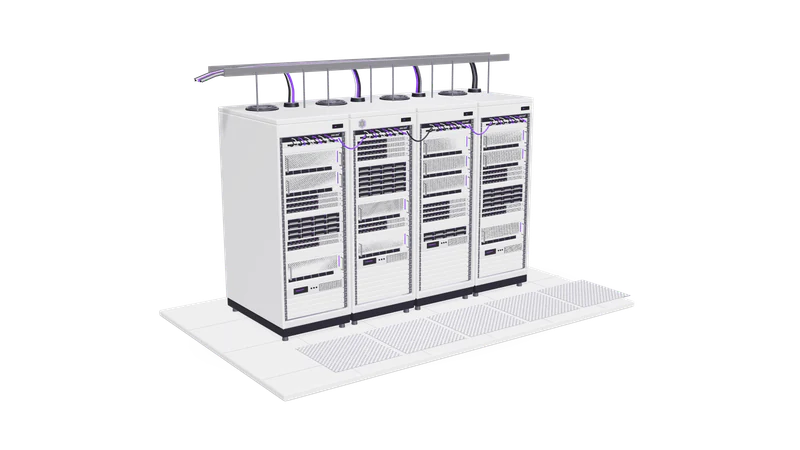
3D render of matte white server racks with violet status lights under an overhead cable tray

At a glance

GPU servers and AI hardware
Scope
Specification, procurement advice, assembly checks, OS and driver setup, burn-in, monitoring
Form factors
Tower workstation, 2U to 4U rack server, rented dedicated GPU server, cloud GPU instance
GPUs
NVIDIA GeForce RTX, RTX professional (Ada, Blackwell), data centre (L40S, H100 class)
Software
Ubuntu LTS, NVIDIA driver and CUDA, Docker with NVIDIA Container Toolkit, vLLM, llama.cpp, ComfyUI
Monitoring
nvidia-smi and DCGM metrics: temperature, power, memory, utilisation, throttle reasons
Handover
Build sheet, BIOS and driver versions, runbook, spares list

Why AI hardware needs a specification, not a shopping list

VRAM decides whether a model runs; power and heat decide whether it keeps running. We size from the workload, then pick the card.

Read more about Why AI hardware needs a specification, not a shopping list

A GPU that is fast at games can still be the wrong card for a language model. What decides whether a model runs at all is GPU memory (VRAM): the model's weights, its working memory for each conversation and the runtime all have to fit on the card. What decides whether it runs for months without trouble is power and heat: a current consumer flagship can draw several hundred watts on its own, and a box with two of them needs a power supply, airflow and a room that can carry that load all day.

We start from the workload. If you are deploying a private model, the sizing comes out of our private AI deployment work: model size, quantization, context length and concurrent users. For video and image generation it comes from the models in the pipeline and the resolution you need. For training or fine-tuning it comes from the model size and the method. Only then do we pick a card, and we write the reasoning down so your finance team can see why the cheaper option was or was not enough.

The terms used on this page are explained in our glossary entries on VRAM and on-premise AI. For a first estimate of the GPU memory a model needs, try our VRAM calculator.

GPU tiers we specify

Memory figures are from NVIDIA's published specifications. Which tier fits depends on your models and users, not on the newest card.

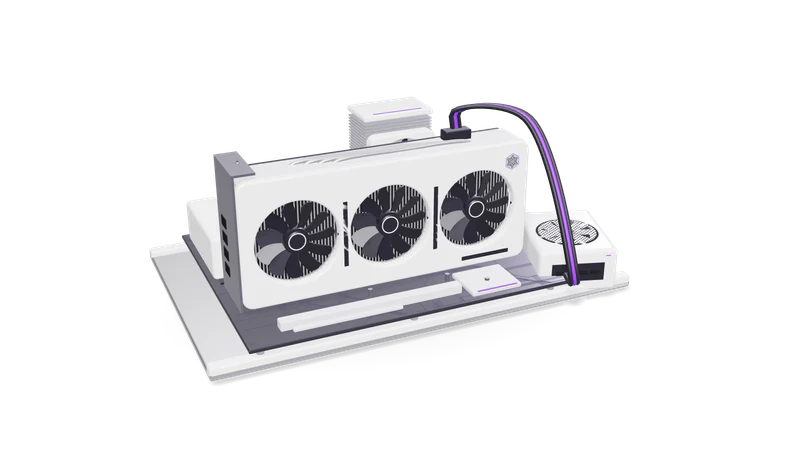
Fig. 01 GPU test bench used for sizing and benchmarks
TierExample cardsVRAM per cardFits wellWatch out for
DesktopGeForce RTX 4090, RTX 509024 GB, 32 GBOne team on a 7B to 32B model at 4-bit, image generation, short video clipsNo ECC memory; the thick coolers on most partner cards make two cards hard to fit and cool
Professional workstationRTX 6000 Ada, RTX PRO 6000 Blackwell48 GB, 96 GB70B models at 4-bit on one card, longer context, several usersHigher card cost; the 600 W Blackwell Workstation Edition needs a matching PSU, and a Max-Q version exists for denser multi-GPU builds
Data centreL40S, H100 class48 GB, 80 GB and upMany concurrent users, fine-tuning, 24-hour batch workPassive cooling needs a server chassis with strong front-to-back airflow; usually rented rather than bought for small teams

Card specifications: NVIDIA RTX PRO 6000 Blackwell lists 96 GB GDDR7 with ECC and 600 W maximum power. Check current availability and pricing in your country before ordering; we do not resell hardware.

The parts that decide whether it keeps running

Power

PSU sized with headroom for spikes, with the circuit and online UPS checked.

Read more about Power

We add up GPU, CPU and drive power at full load, size the PSU with headroom for transient spikes, and check the circuit and UPS. In Indian offices a correctly rated online UPS matters as much as the GPU, because a brownout mid job corrupts work.
Heat

Airflow and cooling planned, and jobs pause before the card reaches its throttle point.

Read more about Heat

Sustained AI work keeps a GPU at full load for hours, unlike gaming. We plan airflow and room cooling, and we set jobs to pause before the card reaches its own throttle point. Our batch jobs on lab hardware pause when the GPU passes 80 °C and resume under 72 °C.

System memory and storage

Enough RAM to stage large models and fast NVMe so restarts take seconds.

Read more about System memory and storage

Loading a 40 GB model needs enough system RAM to stage it and fast NVMe storage so a restart takes seconds, not minutes. Video work needs far more scratch disk than people expect.

Remote management

IPMI or a remote shell, so a hung machine restarts without a site visit.

Read more about Remote management

IPMI or a similar out-of-band controller on servers, so a hung machine can be power cycled without someone driving to the office. On workstations we set up a secure remote shell and automatic restart of services.

Buy, rent or use cloud GPUs

OptionSuitsData locationYou handle
Buy and keep on siteSteady daily use, data that must stay in your building, teams with an IT personYour premisesPower, cooling, physical security, hardware faults
Buy and place in colocationSteady use without a server room at the officeA data centre you choose, in India, the UK or the GulfColocation contract; we handle remote setup
Rent a dedicated GPU serverTrying a workload for a few months before committingThe provider's data centre in the region you pickMonthly rental; no capital spend
Cloud GPU instanceBursty work: a fine-tuning run, a video batch, an evaluationA cloud region you pickPer-hour billing; stop instances when idle

How a build runs

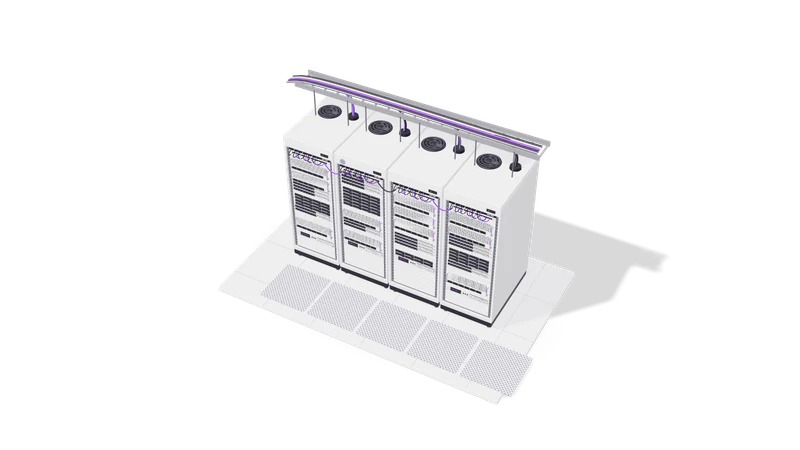
Fig. 02 High angle: racks under the overhead ladder tray
  1. 01 Workload sizing

    Models, users, context length and hours a day turned into memory and compute numbers.

    Read more about Workload sizing

    Which models, how many users, what context length, how many hours a day. We turn that into memory, compute and storage numbers.

  2. 02 Specification and options

    Two or three configurations with parts, power draw, noise and trade-offs spelled out.

    Read more about Specification and options

    Usually two or three configurations at different budgets, each with the parts list, power draw, expected noise and the trade-off spelled out.

  3. 03 Procurement support

    You buy from your vendor; we check the quotes for mismatched parts.

    Read more about Procurement support

    You buy from your preferred vendor. We review quotes for mismatched parts, such as a PSU without the right GPU connectors or a case that blocks a second card.

  4. 04 Setup and burn-in

    Drivers, CUDA and Docker installed, then hours of load testing with temperatures logged.

    Read more about Setup and burn-in

    BIOS settings, Ubuntu LTS, NVIDIA driver and CUDA, Docker with GPU support, then a load test for several hours while we log temperature, clocks and throttle reasons.

  5. 05 Software and monitoring

    Serving engines, model files and alerts on temperature, memory and disk.

    Read more about Software and monitoring

    Serving engines, model files, dashboards and alerts on temperature, memory and disk, wired to email or WhatsApp.

  6. 06 Handover

    A build sheet with every part and version, plus the runbook and update steps.

    Read more about Handover

    A build sheet with every part, firmware and driver version, the runbook, and the update procedure.

Questions

Do you sell the hardware?

No. We specify it, check the quotes and set it up. You buy from your own vendor so the warranty and invoice are in your name.

Can we use a gaming GPU for business AI?

Often, yes. GeForce cards are good value for a single team running quantized models or image generation. The limits are memory size, no ECC, and coolers that make multi-GPU builds hard. We will tell you when a professional card is worth the extra cost and when it is not.

Should we buy or rent?

If the GPU would be busy most working days for the next two or three years, buying usually costs less. If you are still testing what AI will do for you, rent for a few months first and buy once the workload is clear.

Can you set up machines outside Chennai?

Yes. Most setup is done remotely once the machine is on the network, whether it is in your office, a colocation facility or a rented server in the UK, the Gulf or Singapore. We need someone on site to rack or cable it.

Last updated