CyberFreezeDev Loading
  1. Home
  2. Products
  3. Cybe Social
Beta

Cybe Social: write once, schedule to every connected account

A social media scheduler: one post, sent to every connected LinkedIn, Facebook, Instagram and YouTube account.

3D render of a composer tablet sending one post through a hub to four account screens

At a glance

Cybe Social
Platforms
LinkedIn, Facebook, Instagram, YouTube
Accounts per post
Up to 20 connected accounts, or a named group
Media per post
Up to 10 files; several images become a carousel
Video upload
Up to 200 MB for YouTube; up to 50 MB for other platforms
Instagram formats
Feed image, carousel, reel
YouTube formats
Video, Short
Post states
Draft, Pending, Processing, Published, Failed
AI help
Captions in five tones, 10 to 15 hashtags with reasons
Status
Beta, demo on request

What Cybe Social is

One post fans out into a copy per account, with per-platform text where needed. It is in beta and shown by demo.

Read more about What Cybe Social is

Cybe Social is a social media scheduler. You connect the LinkedIn, Facebook, Instagram and YouTube accounts your organisation runs, write a post once, and choose which accounts receive it. The post fans out into one copy per account. Every copy shares a group id, so you can follow the whole campaign as one thing and still see which account published, which is waiting and which failed.

Each platform has its own rules, so one text rarely fits all of them. Cybe Social lets you keep a main text and override it per platform: a LinkedIn version up to 3,000 characters, an Instagram caption up to 2,200, a separate Facebook text and a YouTube title up to 100 characters. You write the idea once and adjust only where a platform needs it.

It replaces the routine of copying the same post into four browser tabs. It is in Beta: the scheduler, the media library and the analytics run today, and we are still adding to it. We show it through a guided demo rather than a self-serve signup.

Who it is for

People who publish to more than one account and are tired of doing it by hand.

Marketing agencies

Post to named groups of client accounts; changing a group leaves approved posts as they were.

Read more about Marketing agencies

Group each client's accounts under a name such as "Clinic brand" or "Founder profile" and post to the group. Changing a group later does not change posts that already exist, so a client's scheduled calendar stays as it was approved.
Small business owners

Upload a reel from your phone once and send it to Instagram and YouTube Shorts.

Read more about Small business owners

Shoot a reel on your phone, upload it once, and send it to Instagram as a reel and to YouTube as a Short without exporting two versions.

In-house marketing teams

Juniors write drafts and someone with publishing rights approves them. Nothing goes out before that.

Read more about In-house marketing teams

Junior staff can write drafts with a requested time; someone who can publish approves it in one click. Nothing reaches an audience until a person with publishing rights says so.

Founders who post as themselves

Personal LinkedIn profile and company page side by side, each with its own text.

Read more about Founders who post as themselves

Keep a personal LinkedIn profile and the company page in one place, with separate text for each, and see follower counts for both on one screen.

How a post moves through it

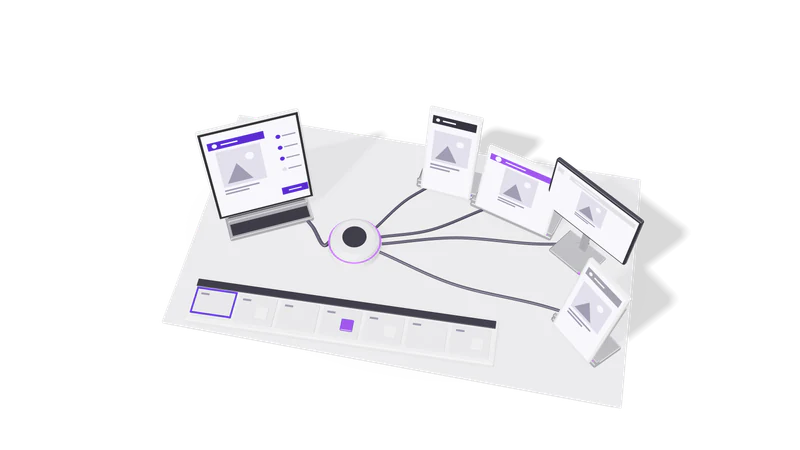
Fig. 01 Overhead: one post riding each cable to its account screen
  1. 01 Connect accounts

    Sign in once through each platform's own login. Expired connections get flagged.

    Read more about Connect accounts

    Sign in to each platform once through its official login. Cybe Social stores the connection and flags any that has expired, which is the usual reason a post fails.

  2. 02 Put media in the library

    Large video uploads are checked for size and checksum, so broken files are refused.

    Read more about Put media in the library

    Upload images and video. Large video goes straight from your computer to storage and is checked against its size and checksum on arrival, so a file that changed on the way is refused rather than stored broken. See media library.

  3. 03 Write once, adjust per platform

    One main text, optional per-platform versions, and AI caption or hashtag ideas.

    Read more about Write once, adjust per platform

    Write the main text, add per-platform versions where needed, and optionally ask the AI for a caption or hashtags. See AI captions and hashtags.

  4. 04 Draft or schedule

    Drafts never publish on their own. Scheduled posts go out at their time.

    Read more about Draft or schedule

    A Draft is parked and never publishes by itself. A scheduled post is Pending: it is armed and will go out at its time with no further confirmation. See scheduling and drafts.

  5. 05 Publish and measure

    Each copy is marked Published or Failed, then engagement numbers come from the platform.

    Read more about Publish and measure

    The publisher picks up Pending posts at their time and marks each copy Published or Failed. Published posts get engagement numbers from the platform itself. See analytics.

What each post state means

These five words decide whether something reaches your audience, so we keep them strict.

StateWhat it meansCan you still change it
DraftParked. Will never publish on its own.Yes
PendingScheduled and armed. Publishes automatically at its time.Yes, or move it back to Draft to stop it
ProcessingBeing published right now.No
PublishedLive on the platform.No, edit or delete it on the platform
FailedThe publish attempt did not succeed.Yes, fix and reschedule

Capabilities

Follow a name for the full feature page.

What it does not do

Limits that come from the platforms, stated up front.

Ads are read-only, catalogue music goes on reels only, published posts are edited on the platform, and follower counts are never summed.

Read more about What it does not do
  • Ads are read-only. Cybe Social shows spend, impressions, clicks, CTR and CPC for each campaign on a connected ad account, split between Facebook and Instagram delivery. It cannot create, pause or fund a campaign; that stays in Meta Ads Manager.
  • Music goes on reels only. Meta licenses catalogue music for the Reels surface, so no tool can attach a catalogue track to a carousel or feed image through the API. That has to be done in the Instagram app.
  • Published posts are final here. Once a copy is live, edit or delete it on the platform itself.
  • Follower counts are not added together. A YouTube subscriber, an Instagram follower and a Facebook Page follower are different things, so the audience view shows them side by side, not as one total.

If you need ad management, campaign reporting across Google and Meta, or a dashboard in Looker Studio, that is a marketing intelligence dashboard project rather than a scheduler feature.

How a demo works

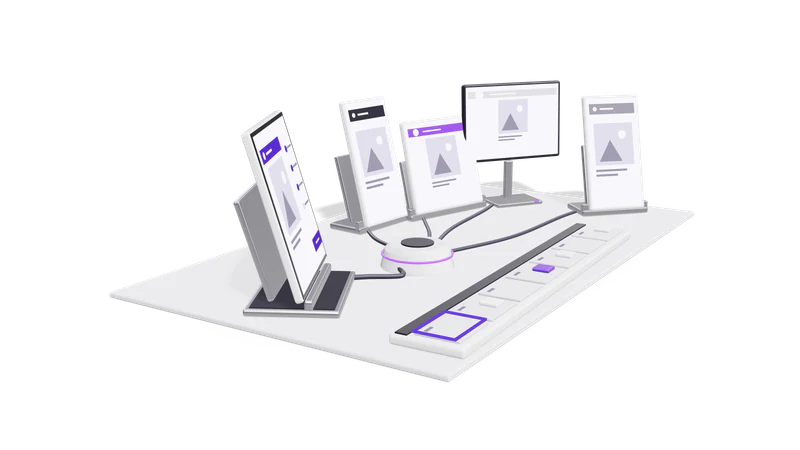
Fig. 02 Side view: the composer tablet, hub and calendar strip
  1. 01 Tell us what you post

    Name your platforms, how many accounts you run and how often you post.

    Read more about Tell us what you post

    Use the demo form and say which platforms you use, how many accounts you manage and roughly how often you post.

  2. 02 A screen share with an engineer

    An engineer walks through a demo organisation, from connecting accounts to reading analytics.

    Read more about A screen share with an engineer

    We walk through a demo organisation: connecting accounts, uploading a video, scheduling one post to several accounts, and reading the analytics.

  3. 03 Your questions, your edge cases

    Bring the awkward cases. We show what works today and say plainly what does not.

    Read more about Your questions, your edge cases

    Bring the awkward cases: a client with five brands, a reel that needs a trending sound, a post that must go out at 7 am IST and 9 am GMT. We show what the product does today and say plainly what it does not.

Questions

Which social networks does Cybe Social support?

LinkedIn, Facebook, Instagram and YouTube. On Instagram you can publish feed images, carousels and reels; on YouTube, videos and Shorts.

Can I try it without talking to anyone?

Not yet. Cybe Social is in Beta and we onboard teams through a demo so we can watch where the product needs work. Request a demo.

What happens if a post fails?

That copy is marked Failed and the others in the group are unaffected. The most common cause is an expired account connection; reconnect it, then reschedule or move the post back to Draft.

Does rescheduling one post affect the others?

Yes, by design. Rescheduling moves the whole group, and any Draft in that group becomes armed for the new time. Check the group before you move it.

Can Cybe Social run my Meta ads?

No. It reads campaign results from a connected ad account but cannot create, edit, pause or fund campaigns. Use Ads Manager for that, or ask us about growth marketing.

Last updated