CyberFreezeDev Loading
  1. Home
  2. Services
  3. AI workflow automation

AI workflow automation for approvals, data entry and routing

Software does the copying, chasing and sorting. Your people make only the decisions.

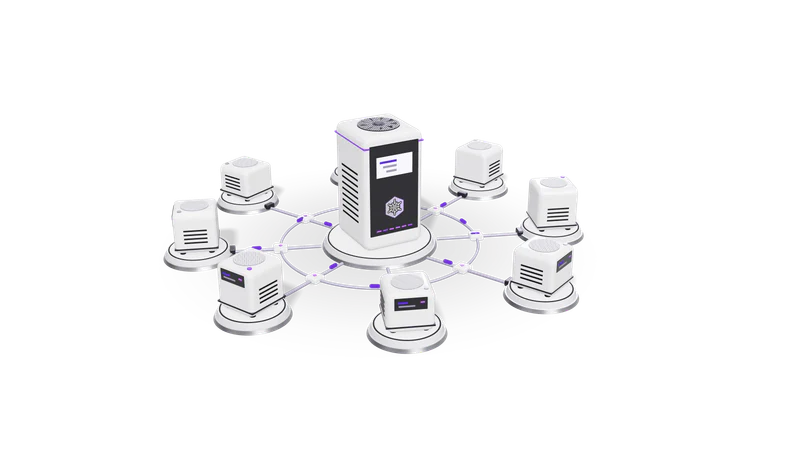
3D render of small AI agent units on plinths, cabled to a central orchestrator unit

At a glance

AI workflow automation
Typical first workflow
One process, from trigger to final record
Engines
n8n (self-hosted or cloud), Zapier, Make, or plain Python services
AI steps
Classification, extraction, summarising, drafting replies
Models
Claude, GPT, Gemini, or open-weight models on your own server
Human checks
Approval queues for low-confidence or high-value items
Records
Every run logged with input, decision and who approved it
Hand-over
Workflow diagram, runbook and admin access

What AI workflow automation means in practice

A workflow is a chain of small jobs. Most of them do not need a person.

Most steps in a workflow are copying and waiting. We hand those to software and keep the real decision with a person.

Read more about What AI workflow automation means in practice

Take a purchase request at a mid-size company. Someone fills a Google Form, an operations executive copies it into a sheet, checks the budget, emails the department head, waits, forwards the approval to accounts, and updates the sheet again. Five of those steps are copying and waiting. One is a real decision.

AI workflow automation runs the copying and waiting in software and uses a language model for the steps that used to need someone to read: deciding which category a request belongs to, pulling the amount and vendor out of an attached quote, or drafting the reply. The real decision still goes to the right person, with everything they need on one screen.

We build these workflows around the process you already run. If the work is mostly moving data between tools, we usually build it on n8n. If documents are the bottleneck, the extraction side is covered by our OCR and document intelligence work. If the trigger is a customer message on WhatsApp, see WhatsApp CRM automation service.

What we build

These are the workflows owners and operations heads ask us for most often.

Approval workflows

Requests checked against your rules, sent to the right approver, reminders on autopilot.

Read more about Approval workflows

Purchase requests, discounts, leave, refunds and vendor onboarding. The workflow collects the request, checks it against your rules (amount limits, budget heads, who reports to whom), sends it to the approver by email, WhatsApp or Slack, waits, and records the answer. Reminders go out automatically when an approval sits too long.
Data entry between systems

Orders, leads and bank lines move between your tools without retyping.

Read more about Data entry between systems

Orders from Shopify into your accounts, leads from website forms into the CRM, bank statement lines into a reconciliation sheet. The workflow reads one system's API or export and writes to the next, with checks for duplicates and missing fields before anything is saved.

Request triage and routing

A model tags every incoming email or ticket and sends it to the right person.

Read more about Request triage and routing

Incoming emails, support tickets or form submissions are read by a model that tags the topic, urgency and language, then assigns them to the right team or person. Anything the model is unsure about lands in a shared queue instead of being guessed.

Follow-ups and status updates

Reminders and status mails written from the live record, never stale.

Read more about Follow-ups and status updates

Payment reminders, document requests to clients, appointment confirmations and weekly status mails, written from the live record so the numbers in the message are always current.

Reports that build themselves

A plain-language summary of your numbers, delivered on schedule.

Read more about Reports that build themselves

A daily or weekly summary pulled from your sheets, CRM and accounts, written in plain language by a model and sent at a fixed time. For a full cross-channel view, see marketing intelligence dashboards.

How a project runs

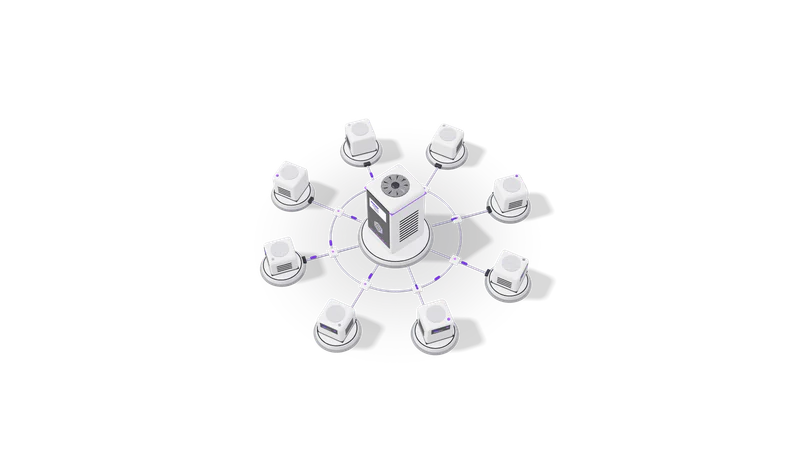
Fig. 01 High angle: each agent unit cabled to the orchestrator
  1. 01 Walk through the process with the people who do it

    We sit with your team and map the real steps, tools and exceptions.

    Read more about Walk through the process with the people who do it

    A call or a visit where your team shows us the real steps, the tools, the files and the exceptions. We write the process down as a numbered list and a diagram and send it back for you to correct.

  2. 02 Pick the first workflow

    One frequent, rule-based process that hurts when it runs late.

    Read more about Pick the first workflow

    We choose one process that runs often, has clear rules and hurts when it is late. We agree what done looks like: which records are created, who approves what, and what happens when something fails.

  3. 03 Build against copies of real data

    Built and tested on masked copies of your own records.

    Read more about Build against copies of real data

    We build in a test workspace using sample records you share, with personal data masked where possible. AI steps are tested against a set of real past examples so we can see where the model is right, where it is wrong, and where it should hand over to a person.

  4. 04 Run in parallel

    The workflow runs beside your team until both give the same results.

    Read more about Run in parallel

    For a short period the workflow runs alongside your team. Its output is checked against what people did by hand, and we adjust rules and prompts until the two agree.

  5. 05 Switch over and hand over

    Live with alerts, a run log, a runbook and full admin access.

    Read more about Switch over and hand over

    The workflow goes live with alerts for failures, a log of every run and a runbook your team can follow. You get admin access to everything we built. Support after launch is agreed up front.

Where it fits, and where it does not

Good fit

Repeating, rule-based work that moves data between tools you already use.

Read more about Good fit

Work that repeats every day or week, follows rules you can write down, and moves data between tools you already pay for. Also work where people spend time reading documents or messages just to decide where they go.

Poor fit

A process that changes monthly or nobody has agreed on yet.

Read more about Poor fit

A process that changes every month, or one nobody has agreed on yet. Automating it fixes the confusion in place. We will suggest settling the process first, and we will say so on the first call.

Decisions with legal or financial weight

Credit, medical and money decisions stay with a person. The workflow prepares the case.

Read more about Decisions with legal or financial weight

Credit decisions, medical judgements and anything that books money should stay with a person. The workflow prepares the case and records the decision; it does not make it. Our own accounting product, Fint, follows the same rule: no money is recorded until a person confirms it.

Data that must stay inside

The engine and the model can run on your own server.

Read more about Data that must stay inside

If records cannot leave your network, the workflow engine and the model can both run on your own server. See custom AI systems for how we set that up.

Example engagement

Described without the client's name, as agreed.

An approval workflow on n8n with AI routing and a full audit trail of who approved what, and when.

Read more about Example engagement

We built an approval workflow on n8n with AI routing and an audit trail. Requests arrive from a form, a model reads them and decides which approver and which category they belong to, the approver answers from a message, and every step is written to a log that shows the original request, the model's suggestion, the person who approved it and when.

The audit log is the part owners tend to value most once a workflow is live: when someone asks why a request was approved, the answer is a search away instead of a hunt through inboxes.

Questions

Which workflows should we automate first?

The one that runs most often, follows clear rules and causes the most chasing when it is late. Lead intake, invoice and bill handling, approvals and customer follow-ups are common first choices. We help you pick on the first call.

Do we have to replace our current software?

Usually not. We connect the tools you already run, such as Google Workspace, Tally, Shopify, Razorpay and your CRM, and add the automation between them. We build integrations with these through their official APIs or exports.

What happens when the AI gets something wrong?

Every AI step has a confidence check. Items below the threshold go to a person in a review queue instead of being processed. Everything the model decided is logged, so mistakes can be found and the rules or prompts corrected.

Is our data sent to OpenAI or Anthropic?

Only if you choose a hosted model, and only the fields that step needs. For sensitive records we can run an open-weight model on your own server so nothing leaves your network. We will explain the trade-off in cost and accuracy before you decide.

How does this sit with the DPDP Act?

The Digital Personal Data Protection Act, 2023 expects you to collect personal data for a stated purpose and protect it. We keep personal data out of AI prompts where it is not needed, mask it in logs, and document where each field goes, which makes your own compliance work easier. This is engineering help, not legal advice.

Can your team maintain it after launch?

Yes. You can keep us on for monitoring and changes, or take it over yourselves using the runbook and diagram we hand over. Both are fine with us.

Last updated