CyberFreezeDev Loading
  1. Home
  2. Services
  3. n8n integrations

n8n workflow development, self-hosting and upkeep

Self-hosted n8n on your server, with workflows, alerts, backups and upgrades looked after.

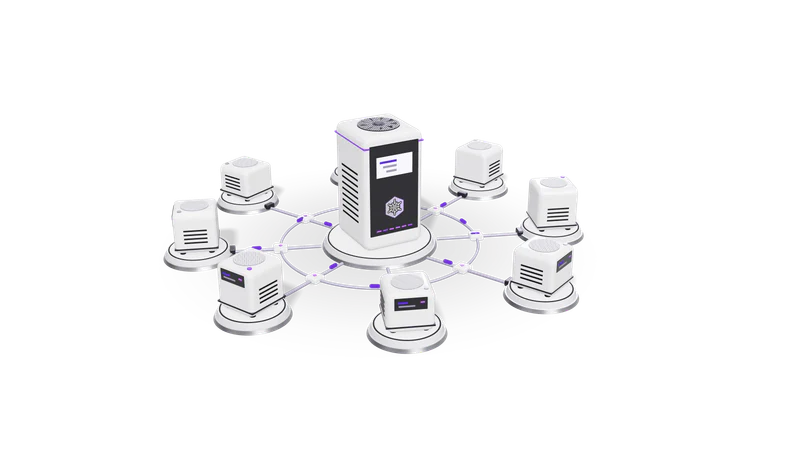
3D render of small AI agent units on plinths, cabled to a central orchestrator unit

At a glance

n8n integrations
Hosting
Self-hosted with Docker on your VPS or cloud, or n8n Cloud
Database
PostgreSQL for production instances
Scaling
Queue mode with Redis and workers when volume needs it
Custom logic
Code node (JavaScript or Python), HTTP Request node, custom nodes
Failure handling
Error workflows, retries, alerts to email, Slack or WhatsApp
Versioning
Workflows exported to Git, separate test and live instances
We integrate
WhatsApp Business API, Google Workspace, Razorpay, Shopify, Tally, LinkedIn Ads

Why n8n, and what an n8n engagement covers

This page is about the engine. For the business process side, see AI workflow automation.

Self-hosted n8n keeps data on your server and avoids per-task fees, but someone has to run it. We cover the platform and the workflows.

Read more about Why n8n, and what an n8n engagement covers

n8n is a workflow automation tool you can host yourself. It is distributed under n8n's own Sustainable Use License, a fair-code licence that allows self-hosting for your internal business use. That matters for three reasons: your data passes through a server you control, you are not paying per task as volume grows, and when a visual node is not enough you can drop into JavaScript or Python inside the same workflow.

The catch is that someone has to run it. A self-hosted n8n instance needs a database, backups, an encryption key kept safe, TLS, updates and someone watching for failed executions. Many teams start n8n on a spare machine, build twenty workflows, and then cannot tell which ones still work.

An n8n engagement with us covers both halves: the platform and the workflows on it. The process design, deciding what to automate and where AI belongs, is covered on our AI workflow automation page.

What we build and run

Production n8n setup

Docker with PostgreSQL, HTTPS, an external encryption key, backups and queue mode when needed.

Read more about Production n8n setup

Docker deployment on a VPS or your cloud account with PostgreSQL, HTTPS, the encryption key stored outside the server, scheduled database backups and restricted admin access. Queue mode with Redis and separate workers when you have heavy or bursty workloads. See the n8n hosting docs for the moving parts.
Integrations with your systems

WhatsApp, Google Workspace, Razorpay, Shopify, Tally and any system with an API.

Read more about Integrations with your systems

We build integrations with WhatsApp Business API, Google Workspace, Razorpay, Shopify, Tally and LinkedIn Ads, and with any internal system that has an API or a database. Where no ready node exists we use the HTTP Request node, or write a custom node for something your team will reuse.

AI steps inside workflows

Classifying, extracting and drafting, with output validated against a schema before use.

Read more about AI steps inside workflows

Calls to Claude, GPT, Gemini or a self-hosted model for classifying, extracting and drafting, with output validated against a schema before the next node trusts it.

Failure handling

An error workflow alerts with the failing node, backed by retries and dead-letter sheets.

Read more about Failure handling

An error workflow, started by the Error Trigger node, that catches failed executions across the instance and sends an alert with the workflow name, the failing node and a link to the execution. Retries with backoff for flaky APIs, and dead-letter sheets for records that need a person.

Version control and environments

Workflows kept in Git for review and rollback, tried on a test instance first.

Read more about Version control and environments

Workflows exported to a Git repository so changes can be reviewed and rolled back, plus a test instance where changes are tried on sample data before they touch live records.

Rescue of existing instances

An audit of your current instance, listing failing workflows, shared credentials and upgrade risks.

Read more about Rescue of existing instances

If you already run n8n, we audit it: which workflows are active, which fail, which credentials are shared, and what breaks on the next upgrade. You get a written list and a fix plan.

n8n compared with Zapier and Make

Questionn8n self-hostedZapier or Make
Where your data goesYour serverThe vendor's cloud
How cost growsServer cost, roughly flat with volumePer task or operation, grows with volume
Custom codeJavaScript and Python inside the workflowLimited code steps
Who maintains itYou, or us on your behalfThe vendor
Best forHigh volume, sensitive data, complex logicQuick, low-volume connections with no server to run

We still recommend Zapier or Make when volume is low and nobody wants to look after a server. Check each vendor's current pricing page for exact plans.

How a project runs

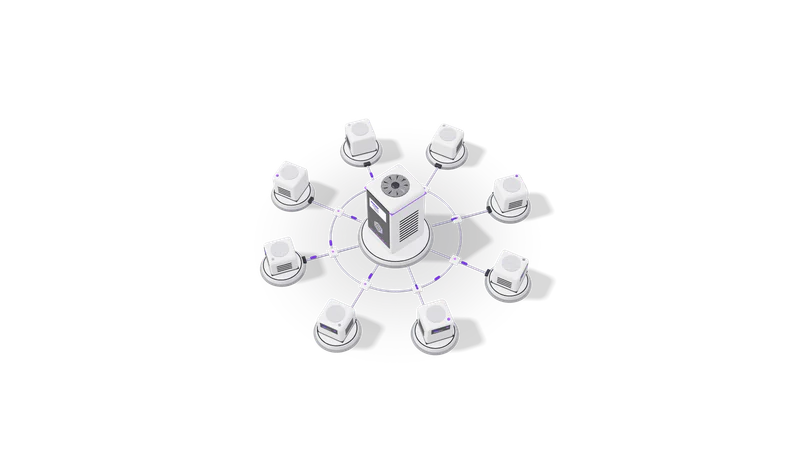
Fig. 01 High angle: each agent unit cabled to the orchestrator
  1. 01 Audit or plan

    Systems and volume listed for new setups; every workflow reviewed for existing ones.

    Read more about Audit or plan

    For a new setup, we list the systems to connect and the expected volume. For an existing one, we review every workflow and the server it runs on.

  2. 02 Stand up the platform

    Server, database, backups, HTTPS, alerting and a test instance, all documented.

    Read more about Stand up the platform

    Server, database, backups, HTTPS, alerting and a test instance, documented so your team or another engineer can take it over.

  3. 03 Build the workflows

    Small single-purpose workflows sharing sub-workflows, tested on sample data first.

    Read more about Build the workflows

    Small, single-purpose workflows that call shared sub-workflows, named consistently and commented, tested on sample data in the test instance first.

  4. 04 Go live and watch

    Switched on one at a time and watched while retries and limits are tuned.

    Read more about Go live and watch

    Workflows are switched on one at a time with alerts running. We watch the execution log closely in the first weeks and tune retries and limits.

  5. 05 Maintain

    Tested upgrades, credential rotation, restore tests and changes as your tools change.

    Read more about Maintain

    Optional ongoing care: n8n upgrades tested before they reach production, credential rotation, backup restore tests and changes as your tools change.

Example engagements

Described without client names, as agreed.

An approval workflow with AI routing, a WhatsApp CRM and a marketing dashboard, each with error workflows, Git exports and backups.

Read more about Example engagements
  • An n8n approval workflow with AI routing and an audit trail: requests are read by a model, sent to the right approver, and every step is logged.
  • A WhatsApp CRM for a B2B sales team built on n8n, the WhatsApp Business API and Claude. See WhatsApp CRM automation service.
  • A cross-channel marketing dashboard where n8n loads Meta Ads, Google Ads and CRM data into BigQuery. See marketing intelligence dashboards.

Each of these follows the platform practices described above: error workflows, Git exports, a test instance and backups.

Questions

Is n8n free?

The self-hosted Community Edition is free to use for your own internal business purposes under the Sustainable Use License; you pay for the server. n8n also sells a hosted cloud plan and enterprise features. Read the licence if you plan to offer n8n itself as a service to others.

Should we self-host or use n8n Cloud?

Self-host if data must stay on your infrastructure, volume is high, or you need community nodes and custom code freely. Use n8n Cloud if you have no one to look after a server and volume is modest. We set up either.

Can you take over workflows another developer built?

Yes. We start with an audit, document what each workflow does, fix what is broken and then maintain it. Often we can simplify a sprawling set of workflows into fewer, clearer ones.

Can n8n talk to Tally?

Yes, through Tally's XML interface over HTTP on the machine running TallyPrime, or through exports when that is not possible. We build integrations with Tally for posting vouchers and reading ledgers and stock items.

What happens when an n8n upgrade breaks something?

We upgrade the test instance first and run the main workflows there before touching production. The production database is backed up before every upgrade so we can roll back.

Last updated