CyberFreezeDev Loading
  1. Home
  2. Services
  3. Mobile app development

Android and iOS apps for field teams, customers and operations

Apps for one business job, wired to the systems that act on the data.

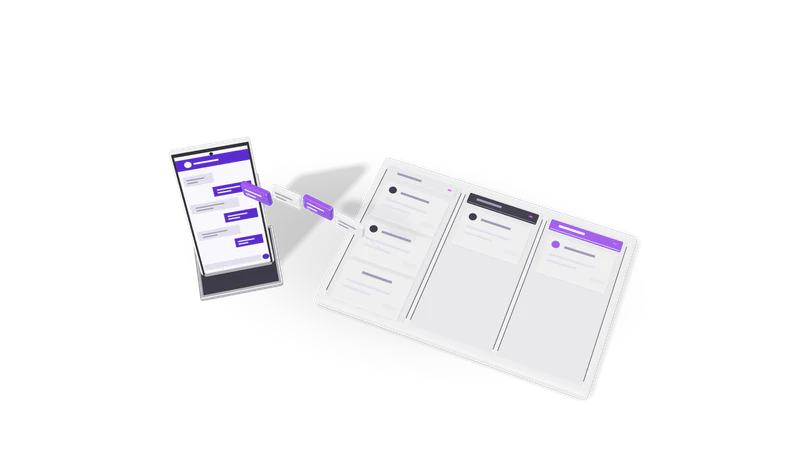
3D render of a phone sending chat bubbles into a three lane CRM pipeline board

At a glance

Mobile app development
Platforms
Android and iOS from one cross-platform codebase; native where needed
Frameworks
Flutter or React Native
Backend
APIs, auth and database we build or connect to
Device features
Camera, GPS, offline storage, push notifications, barcode scanning
Integrations
CRM, Razorpay, Google Workspace, WhatsApp, n8n
Release
Google Play and Apple App Store, under your developer accounts
Hand-over
Source code, build setup and store access in your name

Mobile apps that are part of a system

An app on its own is a screen. The value is in what happens to the data it collects.

An app is only as good as what happens next, so we design the data flow first and build the app as its front end.

Read more about Mobile apps that are part of a system

Most business apps we are asked about are not consumer products chasing downloads. They are tools: a sales rep's order app, a technician's job card, a patient's appointment booking, a delivery driver's proof-of-delivery photo. Each one is only as good as what happens next, whether the order reaches the warehouse, the job card reaches billing, or the photo reaches the customer.

So our mobile app development work starts from the system. We decide where the data goes, which records it creates and who acts on them, then build the app as the front end of that flow. Photos of bills and forms can feed straight into OCR and document intelligence; orders and visits can create records and tasks in a CRM like Desk; and anything that needs chasing can trigger a workflow.

What we build

Field team apps

Visit logging, orders, collections and job cards that work offline and sync later.

Read more about Field team apps

Sales visit logging with GPS check-in, order taking from a catalogue, collections, service job cards with photos and customer signatures. Built to work offline in basements and rural areas and sync when signal returns.
Customer apps

Booking, ordering and loyalty apps with Razorpay, push notifications and WhatsApp hand-off.

Read more about Customer apps

Booking, ordering, loyalty and account apps for clinics, retailers, education providers and service businesses, with Razorpay payments, push notifications and WhatsApp hand-off to a person.

Internal operations apps

Barcode stock checks, inspections, attendance and approvals on your web tools' backend.

Read more about Internal operations apps

Stock checks with barcode scanning, inspection checklists, attendance and approvals on the phone, connected to the same backend as your web tools.

AI features on the phone

Documents read from photos, voice notes turned into visit reports and SOP answers.

Read more about AI features on the phone

Reading a document from a photo, transcribing a voice note into a structured visit report, or answering staff questions from your SOPs. Some of this can run on the device itself; see edge AI and on-device AI for when that is worth it.

How a project runs

Fig. 01 Overhead: messages filed into three pipeline lanes
  1. 01 Ride along

    We watch real users at work and note conditions like patchy network and gloves.

    Read more about Ride along

    We spend time with the people who will use the app, on the shop floor, in the field or at the front desk, and list the jobs it must do and the conditions it runs in: patchy network, gloves, sunlight, shared phones.

  2. 02 Clickable prototype

    Users tap through the main screens on their own phones while changes are cheap.

    Read more about Clickable prototype

    A prototype of the main screens that users tap through on their own phones. Changes here cost hours; after the build they cost weeks.

  3. 03 Build in short cycles

    App and backend built together, with fresh test builds every couple of weeks.

    Read more about Build in short cycles

    App and backend built together, with a test build on users' phones every couple of weeks through Google Play internal testing and Apple TestFlight.

  4. 04 Store release

    Listings, privacy declarations and reviews, with time planned for Google Play closed testing.

    Read more about Store release

    Store listings, privacy declarations, screenshots and review. New personal Google Play developer accounts must run a closed test before they can publish to production, so we plan that time in. Apple reviews every iOS release.

  5. 05 Support

    Crash reports, yearly OS update testing and fixes on terms agreed before launch.

    Read more about Support

    Crash reporting, OS update testing each year, and fixes and features on terms agreed before launch.

Where it fits, and where it does not

Good fit

Work away from a desk that needs the camera, GPS, offline storage or notifications.

Read more about Good fit

Work done away from a desk, where the phone's camera, GPS, offline storage or notifications make the job faster than a web page could.

Consider a web app first

Desk users or monthly use are better served by a cheaper responsive web app.

Read more about Consider a web app first

If users sit at a desk, or only open the tool once a month, a responsive web app is cheaper to build and update, and needs no store review.

Consider WhatsApp first

Customers who will not install an app can book and order on WhatsApp.

Read more about Consider WhatsApp first

For customers who will not install another app, a WhatsApp flow can handle bookings, reminders and simple orders in the app they already use every day.

Native only when needed

One cross-platform codebase covers most apps; native only for heavy on-device work.

Read more about Native only when needed

Cross-platform covers most business apps from one codebase. We go native for heavy on-device processing or platform features that cross-platform tools handle poorly, and we explain the cost difference first.

Questions

Flutter, React Native or native?

For most business apps a cross-platform framework like Flutter or React Native gives you Android and iOS from one codebase, which means one team and one set of fixes. Native Kotlin or Swift is worth it for heavy on-device processing or deep platform features.

Do we need an iOS app as well as Android?

It depends on who uses it. Most phones in India run Android, so for an internal field team Android alone can be enough to start. Customer apps usually need both. Cross-platform keeps adding iOS later affordable.

Who owns the app in the stores?

You do. The app is published under your own Google Play and Apple developer accounts, and you hold the source code and signing keys. We help you create the accounts if you do not have them.

Will it work without internet?

If you need it to, yes. We store data on the device and sync when the connection returns, with clear rules for what happens when two people edit the same record.

Can you take over an app someone else built?

Usually. We review the code, dependencies and store accounts first, then tell you whether to maintain it or rebuild the parts that are holding it back.

Last updated