CyberFreezeDev Loading
  1. Home
  2. Comparisons
  3. n8n vs Make

n8n vs Make for teams that have outgrown simple automations

Two visual workflow tools that differ on hosting, billing and how much code you can bring.

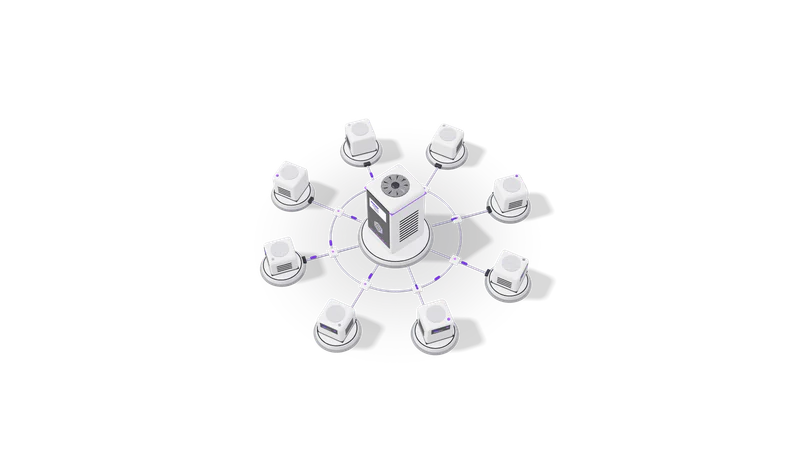
3D render of small AI agent units on plinths, cabled to a central orchestrator unit

The short answer

Make suits teams who own their automations and want no server. n8n suits sensitive data, self-hosting, internal systems, code and AI agents.

Read more about The short answer

Pick Make when a marketing or operations team will build and own the automations themselves, the data is mostly campaign, lead and spreadsheet data, and nobody wants to run a server. Make's visual editor is excellent at mapping fields and splitting lists into items, and its scenarios are easy to read months later.

Pick n8n when the workflows carry sensitive data, need to run on your own infrastructure, call internal systems that are not on the public internet, or need real code and AI agents in the middle. In the n8n vs Make comparison, self-hosting is the line Make does not cross: Make runs only in Make's cloud.

We build production workflows mostly on n8n through our n8n integrations service, and we leave a Make account alone when it is doing its job. This page is how we explain the trade-off to clients.

Side by side

Checked against each vendor's public pricing and documentation on 13 October 2026.

Compared onn8nMake
Hostingn8n Cloud or self-hosted on your own serverMake's cloud only; no self-hosted edition
Billing unitHosted plans: executions, one per full workflow runCredits: most module actions use one credit, some AI features use more
Free optionSelf-hosted Community Edition with no per-run feeFree plan with a monthly credit allowance and limited data storage
EditorNode canvas that shows the JSON passing between stepsScenario canvas with very clear visual field mapping
Lists and arraysNodes process each item automatically; Code nodes for anything unusualIterators and aggregators, explicit and easy to follow
Custom codeJavaScript and Python Code nodes inside the workflowLimited; most logic is built from modules and functions
Private systemsCan run inside your network and reach internal databases and APIsNeeds the target system exposed to the internet or a gateway
AI stepsAI Agent and LLM nodes, any provider or a local modelAI modules and app connectors for major model providers
Best fit ownerDeveloper or technical operatorMarketing, sales ops or operations staff

Sources: n8n pricing, Make pricing. Allowances and features change, so confirm on the vendor pages before committing.

Where each one wins

Make wins on readability for non-developers

Modules, routers and bundle counts are visible, so a scenario reads clearly months later.

Read more about Make wins on readability for non-developers

A Make scenario shows each module as a circle with its app logo, a router as a visible fork, and the bundle count on every step after a run. A marketing manager can open a scenario six months later and see what it does. That matters when the person who built it has left.

Make wins on list handling for beginners

Iterators and aggregators make splitting and rebundling line items explicit for beginners.

Read more about Make wins on list handling for beginners

Splitting a Shopify order into line items, transforming each, then bundling them back into one row is explicit in Make with an iterator and an aggregator. In n8n the same thing happens implicitly, which is faster for engineers and puzzling for newcomers.

n8n wins on hosting and data

Self-hosted n8n runs inside your network beside your database, ERP or local model.

Read more about n8n wins on hosting and data

Self-hosted n8n can sit next to your Postgres database, your ERP or a local language model, inside your own network. For clinics, CA firms and anyone with obligations under the DPDP Act 2023 or GDPR, keeping the processing on infrastructure you control is a strong argument.

n8n wins on code and AI agents

Code and AI Agent nodes keep odd parsing and tool-calling models in one workflow.

Read more about n8n wins on code and AI agents

When a workflow needs to parse an odd bank statement format, compute a GST breakup or let a language model call tools in a loop, n8n's Code and AI Agent nodes keep it in one place instead of bolting on a separate service.

n8n wins on cost for long workflows

Make charges per module action; n8n charges per run, or nothing per run self-hosted.

Read more about n8n wins on cost for long workflows

Make charges per module action, so a 20-module scenario uses roughly 20 credits a run, more if it loops over items. n8n Cloud charges per run, and self-hosted n8n charges nothing per run. Long, frequent workflows tilt firmly toward n8n.

How the costs are structured

Pricing models only. Exact figures live on the vendor pages and change.

Fig. 01 High angle: each agent unit cabled to the orchestrator

Make cost grows with modules times items times runs. n8n Cloud bills per run, and self-hosted n8n costs only the server and upkeep.

Read more about How the costs are structured

Make bills in credits. According to Make's pricing page, most actions use one credit, some advanced AI features use more, and error handlers and Router modules use none. Plans (Free, Core, Pro, Teams, Enterprise) come with a monthly credit allowance; extra credits are bought in bundles and expire. Each block of credits also carries data transfer and data store limits. The effect: cost scales with modules times items times runs. A scenario that loops over 50 order lines multiplies quickly.

n8n Cloud bills by executions: one full run of a workflow counts once regardless of how many nodes it has, and plans include unlimited users and workflows, per n8n's pricing page.

Self-hosted n8n has no per-run charge for internal business use. You pay for the server, backups and whoever maintains it. That fixed cost is why self-hosting looks expensive for three small workflows and cheap for thirty busy ones.

On both tools, the larger long-term cost is people: building scenarios carefully, testing edge cases, and fixing them when a connected app changes its API.

Migrating between them

Each scenario is rebuilt, run in parallel on the same inputs, and switched off only when the n8n version matches it on real data.

Read more about Migrating between them

There is no direct import between Make blueprints and n8n workflows; each scenario is rebuilt. That is less work than it sounds, because the slow part of any automation project is understanding the process, and the Make scenario already documents it.

When we move a client from Make to n8n we keep both running in parallel for a short period on the same inputs, compare outputs, and switch off the Make scenario only when the n8n version has matched it on real data. We migrate scenarios one at a time, starting with the ones that use the most credits or carry the most sensitive data.

What we recommend and why

Our default for client systems is self-hosted n8n. For a marketing team without a developer that wants to own its automations, we recommend Make.

Read more about What we recommend and why

For client systems we build and support, our default is n8n, usually self-hosted. Our builds tend to involve private data and AI steps: an OCR pipeline that reads invoices and IDs before a person reviews them, or an approval workflow with AI routing and an audit trail. Those need code, retries, logs we can inspect and a server we control.

We recommend Make without hesitation for a marketing team that wants to own its own automations: syncing leads from ad forms to a CRM, posting reports to Slack, moving rows between Google Sheets and a mailing tool. If that team has no developer, Make's clarity is worth more than n8n's flexibility.

If you are still deciding whether you need either tool, start with n8n vs Zapier, the three-way n8n vs Zapier vs Make, and our overview of AI workflow automation.

Questions

Is Make the same as Integromat?

Yes. Integromat rebranded as Make in 2022. Older tutorials that mention Integromat scenarios still broadly apply.

Can Make be self-hosted?

No. Make is a cloud service only. If you need automations to run on your own server or inside your network, n8n is the option between the two.

Which is cheaper?

It depends on the shape of your workflows. Short scenarios that run occasionally are cheap on Make. Long workflows that run often, or loop over many items, are usually cheaper on n8n Cloud, and cheaper still on self-hosted n8n once you count only server costs.

Can we use both?

Yes, and some clients do. A marketing team keeps its Make scenarios, while sensitive or high-volume back-office workflows run on n8n. The two can call each other through webhooks.

Last updated