CyberFreezeDev Loading
  1. Home
  2. Comparisons
  3. AI agent vs workflow automation

AI agent vs workflow automation: who decides the next step?

A workflow follows steps written in advance; an agent picks its next step while it runs.

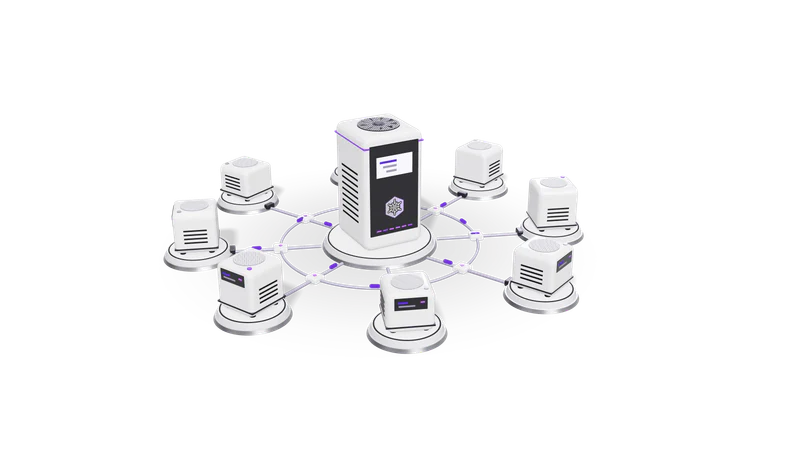
3D render of small AI agent units on plinths, cabled to a central orchestrator unit

The short answer

If the process fits a flowchart, build a workflow. Most good systems are a workflow with an agent handling the one step that needs judgement.

Read more about The short answer

If you can draw the process as a flowchart with a known set of branches, build a workflow. It is cheaper to run, faster, gives the same answer every time, and is easy to audit.

If the next step depends on what was found, and the possibilities are too many to draw, consider an AI agent: a language model that is given tools and a goal and decides which tool to call next.

Most good systems are a workflow with an agent inside one step, not one or the other. The workflow handles the trigger, the routing, the approvals and the record keeping; the agent handles the part that needs judgement.

Side by side

Compared onWorkflow automationAI agent
Who decides the stepsThe designer, before it runsThe model, while it runs, within the tools you give it
Same input, same outputYesNot always; varies with the model and prompt
Running costLow and predictableHigher and variable: several model calls per task
SpeedSeconds or lessOften tens of seconds for multi-step tasks
Handles new situationsOnly the branches someone builtCan attempt cases nobody anticipated
Typical failureStops on an unexpected inputTakes a plausible but wrong action, or loops
Audit trailEach step is known in advanceNeeds logging of every tool call and reason
Typical toolsn8n, Zapier, Make, scriptsLLM with function calling, MCP servers, agent frameworks

Tasks that suit each

Workflow: invoice to accounts

Emailed bill, OCR, a purchase order check and a draft entry for a person to confirm.

Read more about Workflow: invoice to accounts

A supplier bill arrives by email, OCR reads it, fields are checked against the purchase order, and a draft entry goes to a person to confirm. Every step is known.
Workflow: lead routing

WhatsApp enquiries become CRM leads assigned by city and product, by rules alone.

Read more about Workflow: lead routing

A WhatsApp enquiry becomes a CRM lead, is assigned by city and product to a rep, and gets a follow-up task. Rules, not judgement.

Agent: unmatched bank lines

The agent searches messy narrations and proposes the invoice a payment belongs to.

Read more about Agent: unmatched bank lines

Find which invoice a payment belongs to when the narration is messy. The agent searches, compares names and amounts, and proposes a match or explains why it could not.

Agent: research and drafting

Customer history gathered from CRM, email and tickets, then a draft reply to edit.

Read more about Agent: research and drafting

Gather what is known about a customer across the CRM, email and past tickets, and draft a reply for a person to edit.

Cost and risk, in practice

Agents cost more per task and can do the wrong thing convincingly, so give them narrow tools, a step limit and a person approving.

Read more about Cost and risk, in practice

A workflow step that moves a field costs almost nothing per run. An agent step can make five or ten model calls for one task, each with a growing context, so cost per task is higher and harder to predict. Measure it on real cases before you scale, and set a monthly budget alert with your model provider so a looping agent cannot run up a bill unnoticed.

Risk is the bigger difference. A broken workflow usually stops and raises an error. A confused agent can do something that looks reasonable and is wrong. The controls are the same ones we use everywhere: give the agent the narrowest tools that do the job, let it propose rather than commit anything that touches money or customers, keep a human in the loop at those points, set a step limit, and log every tool call.

Our own product Fint is built this way: its AI agent proposes records and a person confirms them in an Inbox, so nothing reaches the books on the agent's word alone.

How we decide on a project

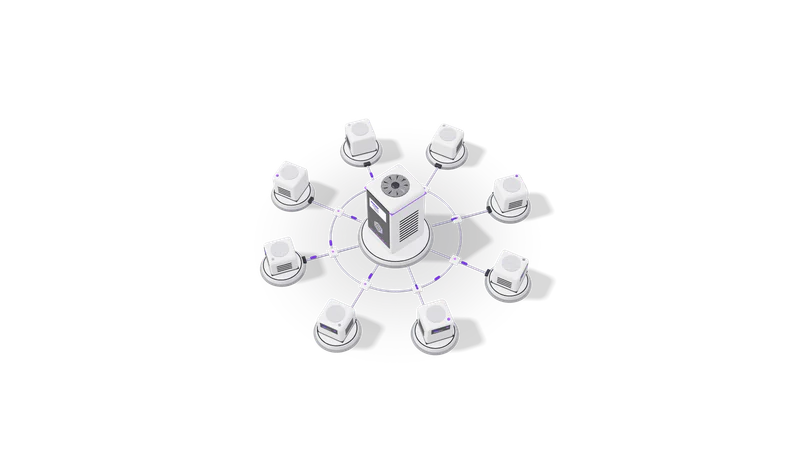
Fig. 01 High angle: each agent unit cabled to the orchestrator
  1. 01 Write the process down

    Every step and exception gets listed; most of it turns out to be rules.

    Read more about Write the process down

    List every step and every exception the team handles today. Most of it turns out to be rules.

  2. 02 Build the rules as a workflow

    Triggers, routing, approvals and records go into a tool such as n8n.

    Read more about Build the rules as a workflow

    Trigger, routing, approvals, records and notifications go into a workflow tool such as n8n.

  3. 03 Find the judgement step

    The step where people read unstructured input and decide is the agent candidate.

    Read more about Find the judgement step

    Look for the step where people read something unstructured and decide. That is the candidate for an agent or a single model call.

  4. 04 Try the simplest AI first

    One model call with a clear prompt often does the job without an agent loop.

    Read more about Try the simplest AI first

    Often one model call with a clear prompt and a fixed output format does the job, without a full agent loop.

  5. 05 Test on past cases

    The AI step runs on historical examples and is compared with what people decided.

    Read more about Test on past cases

    Run the AI step on real historical examples and compare with what people decided before it handles anything live.

Where to go next

For fixed processes, see workflow automation and n8n. For judgement steps, see AI agent and MCP server development.

Read more about Where to go next

For fixed processes, see our AI workflow automation and n8n integrations services, and the tool comparison n8n vs Zapier vs Make. For the judgement steps, see AI agent development and MCP server development. The glossary entries on agentic AI and workflow automation define the terms, and chatbot vs AI agent covers the other common confusion.

Questions

Is an AI agent better than workflow automation?

Not in general. A workflow is better whenever the steps can be written down: cheaper, faster and repeatable. An agent earns its cost only on steps that need judgement over unstructured information.

Can n8n run AI agents?

Yes. n8n has AI Agent nodes that let a language model call tools inside a workflow, so the agent can be one step with the workflow's retries, logs and approvals around it.

How do I stop an agent doing something wrong?

Limit its tools, make it propose rather than act on anything important, add a person to approve those proposals, cap the number of steps, and log every action for review.

Does an agent need a big model?

Not always. Narrow agents with few tools often work well on smaller models, including open-weight models run privately. Test on your own cases to see.

Last updated