CyberFreezeDev Loading
  1. Home
  2. Comparisons
  3. WhatsApp Business API vs app

WhatsApp Business API vs the WhatsApp Business app

The app is a phone for a person to chat; the API is a channel for software.

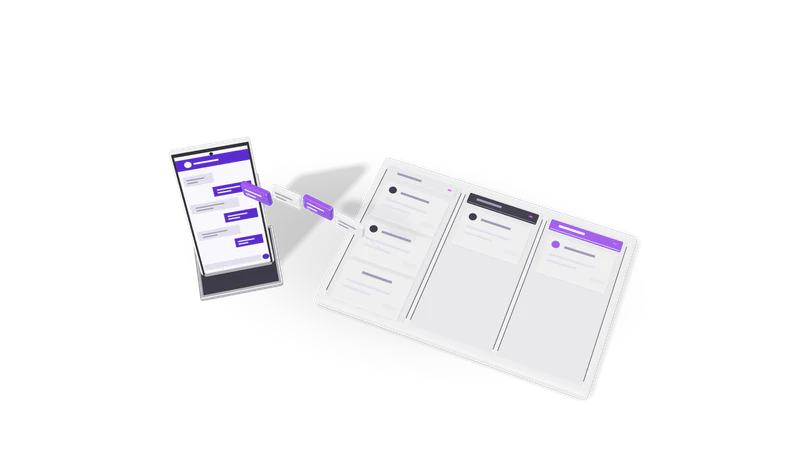
3D render of a phone sending chat bubbles into a three lane CRM pipeline board

The short answer

The free app suits one or two people chatting. The API suits automated replies, a shared team inbox, CRM logging and AI lead qualification.

Read more about The short answer

Stay on the WhatsApp Business app if one or two people handle customer chats, most conversations start with the customer, and you do not need messages triggered by other systems. It is free, it runs on a phone, and it has a catalogue, labels, quick replies and greeting and away messages.

Move to the WhatsApp Business API when you need software in the loop: a lead form that triggers a WhatsApp reply, order and appointment updates sent automatically, a shared inbox for several agents, a CRM that logs every chat, or an AI assistant that qualifies leads before a person takes over.

In the WhatsApp Business API vs app decision, the trigger is usually volume or integration, not features you can see. We set up the API through our WhatsApp Business API setup service and build the automation on top with our WhatsApp CRM.

Side by side

Checked against Meta's public documentation on 13 October 2026.

Compared onWhatsApp Business appWhatsApp Business API (Cloud API)
What it isA phone app, with a few linked devices such as WhatsApp WebA programming interface; you use it through software you build or a provider's platform
CostFreePer delivered template message by category and country; many service replies are free
Who can use it at onceThe phone plus a small number of linked devicesAny number of agents through an inbox or CRM built on it
Messaging customers firstAnyone who has your number; broadcasts only reach people who saved your numberOnly with approved message templates, to people who opted in
Bulk messagesBroadcast lists of up to 256 contacts eachNo list size cap; daily limits on business-initiated messages rise with quality and verification
AutomationGreeting, away and quick replies onlyAnything your software can do: webhooks, chatbots, AI agents, CRM sync
Integration with other systemsNone officiallyFull: forms, CRM, ERP, payment links, n8n workflows
Setup effortInstall and verify a numberMeta business portfolio, phone number registration, templates, a webhook endpoint or provider

Sources: WhatsApp Business Platform pricing, Cloud API documentation. The 256 broadcast figure is the long-standing app limit; Meta can change it.

Where each one wins

The app wins on cost and simplicity

Catalogue, labels, quick replies and away messages, free and with nothing to build.

Read more about The app wins on cost and simplicity

A neighbourhood clinic or a boutique with a few dozen chats a day gets everything it needs from the free app: a catalogue, labels like new order and paid, quick replies for timings and directions, and an away message after hours. Nothing to build, nothing to pay Meta.
The app wins on personal, unscripted chat

Message anyone who has your number, with no templates needed outside the 24-hour window.

Read more about The app wins on personal, unscripted chat

Inside the app you can message anyone who has your number in any style. The API requires approved templates whenever you start the conversation outside the 24-hour customer service window, which adds a step for one-off personal follow-ups.

The API wins on teams

Chats routed to the right rep, logged in the CRM and visible to a manager.

Read more about The API wins on teams

Five sales reps cannot sensibly share one phone. With the API, chats are routed to the right rep, every message lands in the CRM, and a manager can see response times and who is handling what.

The API wins on automation

A new lead gets a reply in seconds, qualifying questions and a rep with the answers.

Read more about The API wins on automation

A lead from a Meta ad or a website form gets a reply in seconds, is asked qualifying questions, and is assigned to a rep with the answers attached. Appointment reminders, payment confirmations and delivery updates go out on their own.

The API wins on reach

Templates reach every opted-in customer, not only contacts who saved your number.

Read more about The API wins on reach

Broadcasts in the app only reach contacts who saved your number. API templates reach every opted-in customer, which is what a real customer update or reminder programme needs.

How the costs are structured

Meta's rates change at the start of a quarter, so we describe the model and link the source.

Fig. 01 Overhead: messages filed into three pipeline lanes

The app is free. The API adds Meta template charges, a platform and the build, so design it around customers messaging you first.

Read more about How the costs are structured

The app is free. Your costs are the phone and staff time.

The API has three cost layers.

  1. Meta's message charges. Since 1 July 2025 Meta charges per delivered template message, with the rate set by the template category (marketing, utility or authentication) and the recipient's country code, according to Meta's pricing page. Free-form replies inside the 24-hour customer service window that opens when a customer messages you are free, utility templates sent inside that window are free, and messages in the 72-hour window opened by a Click to WhatsApp ad reply are free. For businesses billed in India, Meta is moving accounts to INR billing during 2026.
  2. The platform. Either a Business Solution Provider's monthly subscription, or your own system built on Meta's Cloud API with hosting costs only.
  3. Building and running the automation. Flows, CRM integration, template writing and approval, and someone to watch quality ratings.

The practical lesson: marketing templates are the expensive category, and service conversations started by the customer are cheap. A setup designed around customers messaging you first (click-to-chat links, QR codes on invoices, ads that open WhatsApp) costs far less than one built on outbound blasts. Our free WhatsApp link generator makes the click-to-chat link.

Switching from the app to the API

Coexistence onboarding can link an existing app number to the Cloud API, with limits. We verify, register, submit templates and test before customers see anything.

Read more about Switching from the app to the API

Traditionally, a number registered on the API could not also be used in the Business app, so moving meant giving up the phone app on that number. Meta has since introduced a coexistence onboarding that lets an existing Business app number also connect to the Cloud API, with some feature limits and availability that depends on your region and provider. We check which route fits before touching your main number.

The steps we follow: verify the business in Meta Business Manager, decide which number to use, register it, write and submit the first templates (an order update, an appointment reminder, a lead follow-up), connect the webhook to the CRM or workflow, and test with staff phones before any customer sees a message. Opt-in wording goes on every form that collects a phone number.

What we recommend and why

With a few dozen chats a day and one or two people, stay on the app. Move to the API when chats are missed or systems must send messages.

Read more about What we recommend and why

If you are handling under a few dozen chats a day with one or two people, stay on the app and use labels and quick replies well. Spending on the API before you need it is waste.

Move to the API when chats are being missed, when more than two people need to reply, or when another system needs to send messages. Design it so customers start most conversations, keep marketing templates for messages people actually want, and route every chat into a CRM. One of our anonymous client builds did exactly this for a B2B sales team, with n8n, the WhatsApp Business API, a CRM and Claude qualifying leads before a rep stepped in. We do not hold official Meta partner status; we build on Meta's public Cloud API and work with your chosen provider where needed.

For how the automation side is built, see WhatsApp CRM automation service.

Questions

Is the WhatsApp Business API free?

Access to Meta's Cloud API has no subscription fee, but Meta charges per delivered template message by category and country. Replies inside the 24-hour customer service window are free. You also pay for whatever platform or software you use to operate it.

Can we keep using the phone app after moving to the API?

Possibly. Meta's coexistence onboarding allows an existing Business app number to connect to the Cloud API as well, with some limitations and not in every region. Otherwise, use a new number for the API and keep the old one on the app.

Why do templates need approval?

Meta reviews templates used to start conversations to limit spam. Approval is usually quick for clear, specific templates. Meta assigns each template a category, which sets its price, so we write templates to land in the right category.

Will our number get blocked for bulk messaging?

Unsolicited bulk messages get reported, and reports lower your quality rating and messaging limits. On the API, message only people who opted in, make every template useful, and give an easy way to stop messages. Tools that automate the regular app to send bulk messages break WhatsApp's terms and risk a ban.

Last updated