CyberFreezeDev Loading
  1. Home
  2. Services
  3. WhatsApp Business API setup

WhatsApp Business API setup, in an account you own

The WhatsApp Business API, set up in your Meta account and owned by you.

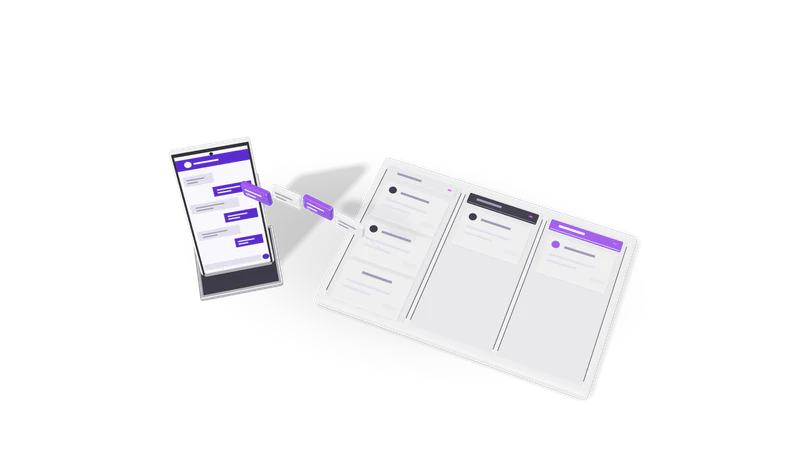
3D render of a phone sending chat bubbles into a three lane CRM pipeline board

At a glance

WhatsApp Business API setup
Platform
WhatsApp Business Platform, Cloud API hosted by Meta
Account
Your own Meta business portfolio and WhatsApp Business Account
Templates
Marketing, utility and authentication categories, submitted for Meta review
Inbound
Webhooks to your server, n8n or CRM, with signature verification
Integrations
Desk, WhatsApp CRM, n8n, Google Sheets, Razorpay payment links, Shopify
Pricing basis
Meta charges per delivered template message, by category and country

The WhatsApp Business app and the API are different things

The app suits one person replying by hand. The API serves teams and systems, and we set it up so the account belongs to you.

Read more about The WhatsApp Business app and the API are different things

The free WhatsApp Business app on a phone works for one person replying by hand. Once you want several staff on one number, automatic replies from your systems, order or appointment notifications, or a CRM that records every chat, you need the WhatsApp Business API, which Meta calls the WhatsApp Business Platform.

Today that means the Cloud API, hosted by Meta. Your systems send messages through Meta's API and receive incoming messages and delivery receipts through webhooks. There is no app on a phone for the API number; your team works from a shared inbox, a CRM or whatever software you connect.

Many businesses get there through a reseller that owns the account on their behalf. We set it up the other way round: the business portfolio, the WhatsApp Business Account, the number and the templates belong to you. We are a developer working in your account, and you can remove our access at any time. We are not a Meta partner or a Business Solution Provider.

Customers who message you first are the cheapest conversations to run. A click-to-chat link on your site or invoices starts them; our free WhatsApp link generator makes one. For the terms, see WhatsApp Business API and WhatsApp message template in our glossary.

Rules worth knowing before you start

These come from Meta's platform documentation and shape every design decision.

The 24-hour customer service window

Free-text replies only within 24 hours of a customer's message; templates after that.

Read more about The 24-hour customer service window

When a customer messages you, a 24-hour window opens. Inside it you can send any reply, free text included. Outside it you can only send pre-approved template messages.
Templates need approval

Conversation starters must be approved templates in marketing, utility or authentication.

Read more about Templates need approval

Any message that starts a conversation must be a template submitted to Meta in one of three categories: marketing, utility or authentication. A template that reads like promotion but is filed as utility gets recategorised or rejected.

You pay per template delivered

Meta charges per delivered template by category and country; in-window replies are free.

Read more about You pay per template delivered

Since 1 July 2025 Meta charges per delivered template message, with the rate set by category and the recipient's country. Replies within the customer service window, and utility templates sent inside it, are not charged.

Opt-in and quality

Recipients must opt in, and too many blocks lower your number's quality rating.

Read more about Opt-in and quality

People must have agreed to hear from you on WhatsApp. If many recipients block or report your messages, the number's quality rating drops and Meta can limit how many people you can message.

What the setup covers

Fig. 01 Overhead: messages filed into three pipeline lanes
  1. 01 Business portfolio and verification

    Meta business portfolio created or tidied, and verified with documents matching your legal name.

    Read more about Business portfolio and verification

    Create or tidy up your Meta business portfolio and complete business verification with your registration documents (for Indian businesses typically GST certificate, incorporation certificate or similar, matching the legal name exactly).

  2. 02 Choose and connect the number

    A new or existing number connected, checked first so phone chat history survives.

    Read more about Choose and connect the number

    Use a new number, or move an existing one. A number on the WhatsApp Business app can either be migrated fully to the API or, where Meta's coexistence option is available for it, kept on the app and connected to the API too. We check which applies before touching anything, because a wrong step can lose the chat history on the phone.

  3. 03 Display name and profile

    Display name submitted for review and the business profile filled in.

    Read more about Display name and profile

    Submit the display name for review (it must relate clearly to your business), and fill in the profile: description, address, hours, website.

  4. 04 Templates

    First templates for orders, reminders and payments, written to pass review.

    Read more about Templates

    Write the first set of templates with you: order confirmation, appointment reminder, payment reminder, OTP if needed, and a re engagement message. We write them to pass review the first time, with variables for names, dates and amounts.

  5. 05 Webhooks and security

    Signed webhooks on your server or n8n, with the token in a secrets store.

    Read more about Webhooks and security

    Set up the webhook endpoint on your server or in n8n, verify Meta's request signatures, store messages and statuses, and keep the access token in a secrets store rather than in a workflow.

  6. 06 First automations and handover

    The number wired to your CRM, store or inbox, with an asset ownership document.

    Read more about First automations and handover

    Connect the number to where the work happens: lead capture into a CRM, order notifications from Shopify, payment links through Razorpay, a shared inbox for staff. You get a document listing every asset, token and template, and who owns each.

What usually comes next

WhatsApp CRM

Lead capture, qualification, routing and follow-ups running on the number set up here.

Read more about WhatsApp CRM

Our WhatsApp CRM captures leads from chats, qualifies them, routes them to sales reps and schedules follow-ups. It runs on the API number set up here.

AI replies with a person in the loop

An assistant answers common questions from your documents and hands over to staff.

Read more about AI replies with a person in the loop

An AI assistant answers common questions from your documents and hands over to staff when needed. See WhatsApp CRM automation service and RAG chatbots.

Notifications from your systems

Invoices, delivery updates and reminders sent as utility templates from your software.

Read more about Notifications from your systems

Invoices, delivery updates, appointment reminders and payment receipts sent as utility templates from your billing or booking software.

Questions

Can we keep using our current WhatsApp number?

Usually yes. It can be migrated to the API, or in some cases connected through Meta's coexistence option while staying on the WhatsApp Business app. The options and their limits depend on the number and its current use, so we check before starting.

How long does setup take?

The technical setup is quick. The waiting is on Meta's side: business verification, display name review and template approval each take their own time, and a mismatch between your documents and your portfolio details can add rounds. We prepare documents carefully to avoid that.

Do we pay you for messages?

No. Message charges are billed by Meta to the payment method on your own WhatsApp Business Account. We charge for the setup and integration work only.

Can we send bulk promotional messages?

You can send marketing templates to people who opted in. Sending to bought lists or people who never agreed gets numbers blocked and reported, and we do not build that. In India, also consider your obligations under the DPDP Act 2023 for the contact data you hold.

Are you an official WhatsApp partner?

No. We are developers who set up and integrate the Cloud API directly in your Meta account. You deal with Meta for billing and policy; we handle the build.

Last updated