CyberFreezeDev Loading
  1. Home
  2. Integrations
  3. n8n

Connecting your own software to n8n: webhooks, callbacks and APIs

Your own software connected to n8n through secured webhooks and HTTP calls, where no ready-made node exists.

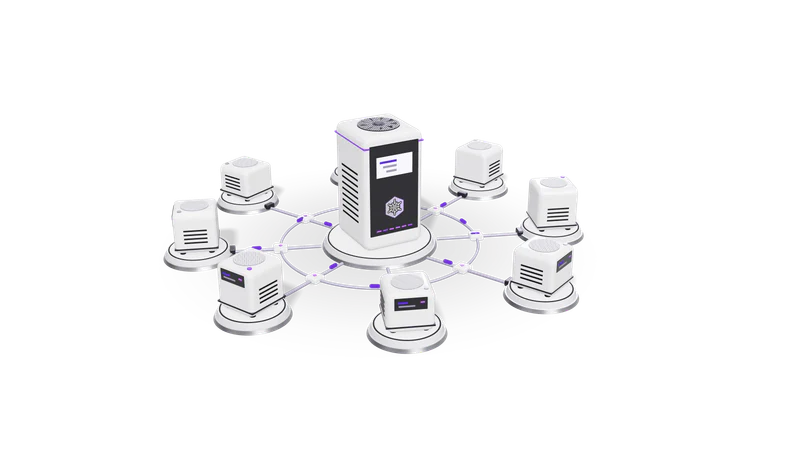
3D render of small AI agent units on plinths, cabled to a central orchestrator unit

At a glance

n8n integration
Inbound
Webhook node: GET, POST, PUT, PATCH, DELETE, HEAD
Inbound auth
Basic auth, Header auth or JWT auth on the Webhook node
Responses
Immediately, When Last Node Finishes, or a Respond to Webhook node
Payload limit
16 MB by default; N8N_PAYLOAD_SIZE_MAX on self-hosted instances
Outbound
HTTP Request node, or a custom node for a reused internal API
Failures
Error workflow started by the Error Trigger node; Stop And Error node

What this integration is, and what it is not

Running and maintaining n8n is a separate service. This page is about plugging your systems into it.

Your app calls n8n webhooks and n8n calls your API. Done properly, with authentication on both, n8n becomes where your systems meet.

Read more about What this integration is, and what it is not

Our n8n integrations service covers the platform: hosting, PostgreSQL, backups, upgrades and monitoring. This page covers a narrower question that comes up on almost every project: how does our own software talk to n8n?

The answer has two directions. Inbound, your application calls an n8n Webhook node URL when something happens, such as a form submitted, a ticket closed or a document uploaded. Outbound, n8n calls your application's API to read or write records. Done casually, both are security holes: an unauthenticated webhook anyone can post to, and an admin API key pasted into a node. Done properly, n8n becomes the place where your systems, and the vendors on this page such as WhatsApp, Razorpay and Tally, meet.

Typical patterns we build

Your app to n8n, fire and forget

Your app posts an event with a token and never waits for the workflow.

Read more about Your app to n8n, fire and forget

The app posts an event to a production Webhook URL with a header token, and the node responds Immediately so the app is never kept waiting. See the Webhook node docs.

n8n as a small API

Lookups end in a Respond to Webhook node that returns JSON to your app.

Read more about n8n as a small API

For lookups the app needs an answer to, such as a price, a lead score or a document's extracted fields, the workflow ends in a Respond to Webhook node that returns JSON with the right status code. Good for internal tools; for heavy traffic we build a proper service instead.

Verified vendor webhooks

Shopify, Razorpay and Meta signatures are checked on the raw body before anything runs.

Read more about Verified vendor webhooks

Shopify, Razorpay and Meta sign their webhooks over the raw body. The Webhook node's Raw Body option keeps the bytes, and a Code node checks the HMAC before anything else runs.

Calling back into your system

Results written to your API with a scoped credential from n8n's encrypted store.

Read more about Calling back into your system

The HTTP Request node writes results to your API with a credential stored in n8n's encrypted credential store, scoped to the endpoints the workflow needs. Where many workflows hit the same internal API, a custom node keeps the calls consistent.

AI steps with a person in the loop

A model classifies or drafts, output is schema-checked, and uncertain cases wait for a person.

Read more about AI steps with a person in the loop

A language model classifies or drafts, the output is checked against a schema, and anything uncertain waits for a person. Our anonymous approval workflow build used this pattern with AI routing and an audit trail. See human in the loop.

How we secure a Webhook endpoint

  1. 01 Use production URLs only

    Integrations point at the production URL, never the editor's test URL.

    Read more about Use production URLs only

    Test URLs work only while someone is listening in the editor. Integrations point at the production URL, which is registered when the workflow is published.

  2. 02 Authenticate every caller

    Header or JWT auth for your apps, signature checks for vendors.

    Read more about Authenticate every caller

    Header auth or JWT auth on the node for your own apps; signature checks on the raw body for vendors. Unauthenticated webhooks are not shipped.

  3. 03 Reject early

    Invalid payloads are dropped with a 4xx before they reach your database.

    Read more about Reject early

    An IF node drops payloads that fail validation and returns a 4xx through Respond to Webhook, so bad input never reaches your database.

  4. 04 Fail loudly

    Every workflow has an error workflow that sends an alert naming the failing node.

    Read more about Fail loudly

    Every workflow names an error workflow under its settings. The Error Trigger receives the execution URL, the failing node and the message, and sends an alert. A Stop And Error node fails an execution on purpose when data is wrong. See error handling.

Where it connects, and what we need from you

We need an n8n instance, your system's API docs or a developer contact, and a service account with only the permissions the workflows use.

Read more about Where it connects, and what we need from you

Our anonymous WhatsApp CRM build for a B2B sales team ran on n8n, the WhatsApp Business API, a CRM and Claude, and the flows on our other integration pages usually run on n8n too. For WhatsApp sales teams, see our WhatsApp CRM, which we sell as both a product and a service.

From you we need: an n8n instance (yours, or one we set up through the n8n service), API documentation or a developer contact for your own system, and a service account on it with only the permissions the workflows need. If you are still choosing a tool, read n8n vs Zapier first.

Questions

How is this page different from your n8n service?

The n8n service is about running n8n: hosting, backups, upgrades, monitoring. This page is about connecting your own software to it securely, which applies whether we host n8n or you do.

Can our app wait for an n8n workflow to return a result?

Yes, with When Last Node Finishes or a Respond to Webhook node. Keep such workflows short; for long jobs, respond at once and call your app back when done.

How large a file can we post to an n8n webhook?

16 MB by default. A self-hosted instance can raise it with N8N_PAYLOAD_SIZE_MAX, but for large documents we usually upload to storage and send n8n a link.

Our system has no API. Can n8n still connect?

Often, through its database, an export folder or email. Each has trade offs we explain before building. Tally, for example, is reached through its XML interface.

Last updated