CyberFreezeDev Loading
  1. Home
  2. Products
  3. Cybe Social
  4. Media library for large videos

A media library built for large social media videos

Upload a long video once, verified on arrival, and attach it to any post.

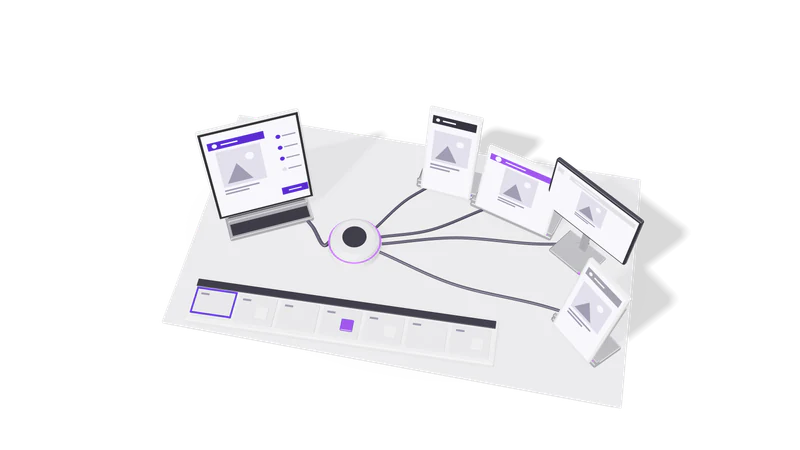
3D render of a composer tablet sending one post through a hub to four account screens

Big files without the browser struggle

Large files go straight to storage, and their size and SHA-256 checksum are checked on arrival. A changed file is refused at upload time.

Read more about Big files without the browser struggle

Video is where most social media tools struggle: uploads time out, files arrive corrupted, and nobody finds out until the post fails. The Cybe Social media library sends large files straight from your computer to storage instead of pushing them through a web form.

Before the upload starts, the file's exact size and its SHA-256 checksum are recorded. When the bytes arrive, both are checked again. A file that changed on the way is deleted and refused, rather than stored as something that will not play. You find out at upload time, not at 9 am when the post was due.

Limits that matter

Media library
Largest upload
200 MB per file (Cybe Social's limit for YouTube posts)
Instagram, LinkedIn, Facebook
Cybe Social accepts video up to 50 MB for these platforms
Files per post
Up to 10
Several images
Become a carousel
YouTube post
Exactly one video
Upload from a public link
Up to 50 MB, fetched by the server
Integrity check
Size and SHA-256 verified on arrival

Practical details

Fig. 01 Overhead: one post riding each cable to its account screen

File extensions count

Video is detected by extension, so keep real extensions like .mp4 or .mov.

Read more about File extensions count

Whether a file is treated as video is decided from its extension, so name files with their real extension, such as .mp4 or .mov. A file without one cannot be used as a YouTube post.

Upload once, reuse often

Each file gets a library id to attach to new posts or swap into drafts.

Read more about Upload once, reuse often

Every file gets a library id. Attach it to a new post, or swap the media on an existing draft, without uploading again.

Who uploaded what

Files list name, type, size and uploader, newest first.

Read more about Who uploaded what

The library lists each file's name, type, size and uploader, newest first, so a team can find last week's reel.

Brand assets

Logos, palettes and AI images are stored for the whole organisation.

Read more about Brand assets

Logos, colour palettes and AI-generated images are stored as brand assets for the organisation, so everyone posts with the current logo rather than an old copy from a laptop.

One video, several formats

One vertical video under 50 MB can post as an Instagram reel and a YouTube Short together; horizontal cuts up to 200 MB go to YouTube only.

Read more about One video, several formats

A common pattern: a vertical video under 50 MB goes to Instagram as a reel and to YouTube as a Short in the same post, with a different caption and title for each. A longer horizontal cut up to 200 MB goes to YouTube only. If you produce a lot of video, our video generation and editing service, run on retainer, delivers finished files sized for each platform so they go into the library ready to post.

Questions

Why does my Instagram post fail with a large video?

Cybe Social accepts videos up to 50 MB for Instagram, LinkedIn and Facebook posts and up to 200 MB for YouTube. Keep videos for those three platforms under 50 MB.

Does uploading a file post anything?

No. Uploading only puts the file in the library. Nothing reaches an audience until it is attached to a post that is published.

Can I upload documents?

Yes, images, video and documents can go in the library.

Last updated