CyberFreezeDev Loading
  1. Home
  2. Services
  3. Business process automation

Business process automation, from the first form to the final record

Whole processes run in software, with rules, AI or a person chosen for each step.

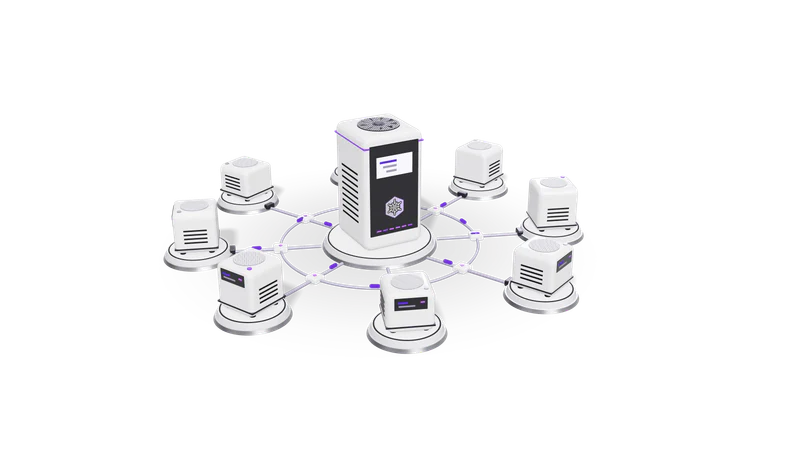
3D render of small AI agent units on plinths, cabled to a central orchestrator unit

At a glance

Business process automation
Scope
One end-to-end process at a time, from trigger to final record
First deliverable
A written process map: steps, owners, systems, exceptions
Step types
Fixed rules, AI reading and judgement, AI agents, people
Engines
n8n, plain Python services, your existing software's APIs
Records
Every step logged: input, decision, who approved, when
Data
Your systems stay the source of truth; private models where data must stay in house

What business process automation is

A process is a chain of steps across people and systems. Automating it means looking at the whole chain, not one step.

Automating a whole process, from trigger to final record, rather than one task inside it.

Read more about What business process automation is

Most automation projects start with one annoying task: copying orders into the accounts, or chasing an approval. That helps, but the process around it stays slow, because the delay usually sits between steps, where work waits in someone's inbox.

Business process automation starts from the whole process instead. Take order to cash at a distributor: an order arrives on WhatsApp or email, someone checks stock and credit, raises an invoice, sends it, follows up, matches the payment in the bank and closes the order. Each step has an owner, a system and a few exceptions. We write all of it down, decide what software should do at each step, and build the chain so work moves on by itself and only waits where a person genuinely has to decide.

Single workflows, such as an approval or a data entry job, are covered on our AI workflow automation page. This page is for when the whole process needs to change.

Rules, AI, agents or a person: choosing for each step

The most useful thing we do is decide, step by step, what should do the work.

Fixed rules

Steps you can write as a rule run as plain workflow logic.

Read more about Fixed rules

If a step can be written as a rule (amount over a limit goes to the finance head, an order from a new customer needs a credit check), plain workflow logic does it. It is cheap to run, predictable and easy to audit.
AI that reads or classifies

Models read emails, documents and messages and pass on structured fields.

Read more about AI that reads or classifies

If a person currently reads something to decide where it goes (an email, a PDF quote, a supplier invoice, a WhatsApp message), a language model or our document AI does the reading and passes structured fields to the next step, with low-confidence results sent to a person.

AI agents

Multi-step lookups and judgements handled by an agent, with a person approving.

Read more about AI agents

If a step needs several lookups and a judgement (find the customer, check past orders, draft the reply, propose the next action), an AI agent does it through tool calls, and a person approves anything that moves money or reaches a customer.

A person

Real decisions stay with people, with everything they need on one screen.

Read more about A person

Credit decisions, pricing exceptions, anything with legal or medical weight, and anything the business has not agreed a rule for. The automation brings that person everything they need on one screen and records what they decided.

Screen automation (RPA) only as a last resort

Screen bots only when a system offers no API, export or email feed.

Read more about Screen automation (RPA) only as a last resort

RPA tools drive an application's screen the way a person would. They are the right choice only when a system has no API, export or email feed, and they break when the screen changes. We look for those other routes first and say plainly when screen automation is the only way in. See RPA explained.

Processes we automate end to end

These are the processes owners and operations heads bring to us most often.

Order to cash

Order capture through invoicing, follow-up and payment matching.

Read more about Order to cash

Orders from WhatsApp, email, a website or a marketplace captured into one queue, stock and credit checked, the invoice raised and sent, follow-ups scheduled, and the payment matched to the invoice in the bank. Fint can hold the invoicing and bank matching side.

Purchase to payment

Requests, approvals, invoice matching and payment release.

Read more about Purchase to payment

Purchase requests approved against budget, supplier invoices read and matched to the purchase order and goods receipt, mismatches flagged, and payments queued for a person to release.

Lead to customer

Every enquiry captured, qualified, routed and followed up in the CRM.

Read more about Lead to customer

Enquiries from every channel captured, qualified, routed to the right sales person and followed up, with the CRM updated at each stage. On WhatsApp this is our WhatsApp automation work.

Customer and vendor onboarding

Documents collected and checked, records created in every system.

Read more about Customer and vendor onboarding

Documents collected, KYC fields read and checked, records created in each system, and welcome or rejection messages sent, with a person reviewing anything the model is unsure of.

Month-end close

Bank matching, bill chasing and GST summaries ready for the accountant.

Read more about Month-end close

Bank lines matched, missing bills chased, GST summaries prepared and exceptions listed for the accountant. Our GST and accounting automation page has the detail.

How a process automation project runs

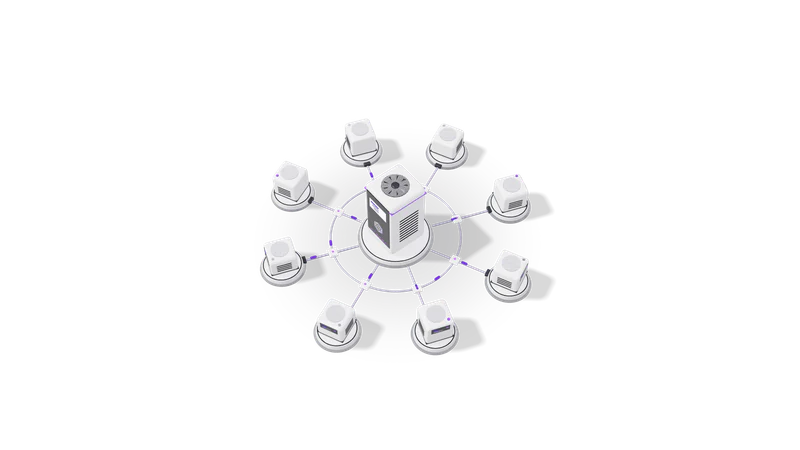
Fig. 01 High angle: each agent unit cabled to the orchestrator
  1. 01 Map the process with the people who run it

    Every step, owner, system and exception written down and corrected by you.

    Read more about Map the process with the people who run it

    We sit with your team and write down every step, owner, system, file and exception, as a numbered list and a diagram. You correct it before anything is built. The map is yours to keep whether or not we build.

  2. 02 Decide what does each step

    Rules, AI, an agent or a person proposed for each step, with reasons.

    Read more about Decide what does each step

    For each step we propose rules, AI, an agent or a person, and say why. We also mark the steps where the process itself should change before it is automated.

  3. 03 Build in stages against real data

    Built stage by stage on copies of real records, checked by your team.

    Read more about Build in stages against real data

    We build the chain one stage at a time in a test workspace with copies of your records, so each stage is checked by the people who will use it before the next one starts.

  4. 04 Run alongside, then switch over

    Run in parallel with the manual process until the team trusts it.

    Read more about Run alongside, then switch over

    The automated process runs next to the manual one for a short period and the results are compared. Once the team trusts it, the manual steps stop.

  5. 05 Hand over with a log and a runbook

    A full step log and a runbook for common failures.

    Read more about Hand over with a log and a runbook

    Every step writes to a log showing the input, what the software or model decided, who approved it and when. Your team gets a runbook for the common failures, and we can maintain it after launch.

Work you can check

Described without client names, as agreed.

Approval, WhatsApp CRM and OCR builds, each one part of a larger process.

Read more about Work you can check

We built an approval workflow on n8n with AI routing and an audit trail, a WhatsApp CRM for a B2B sales team (n8n, the WhatsApp Business API, a CRM and Claude) and an OCR pipeline for invoices, IDs and forms with human review. Each is a piece of a larger process: approvals inside purchase to payment, lead handling inside lead to customer, document reading inside onboarding and month-end close.

Our own products run the same way. In Fint, an AI agent proposes records and nothing is booked until a person confirms it in the Inbox, with an audit trail of every change.

Questions

What is the difference between business process automation and workflow automation?

Workflow automation usually means automating one chain of steps, such as an approval. Business process automation looks at a whole business process across teams and systems, such as order to cash, and changes how work moves through all of it. In practice a process is automated as several connected workflows.

Is business process automation the same as RPA?

No. RPA is one technique: software that drives an application's screen like a person. Business process automation can use RPA, but most of it is built on APIs, exports, workflow tools and, for the reading and judging steps, AI models. We use screen automation only when a system offers no other way in.

Which process should we automate first?

The one that runs most often, causes the most chasing when it is late, and has steps your team already agrees on. Order to cash and purchase to payment are common first choices for distributors and manufacturers; lead to customer for service businesses.

Do we need to replace our software?

Usually not. We connect what you already use, such as Tally, Google Workspace, Shopify, Razorpay and your CRM, through their APIs or exports. If a step lives only in spreadsheets, we may move it into a small tool or into Desk or Fint.

Where does our data go?

Your systems stay the source of truth. Where documents are personal or confidential, the AI steps can run on a private model on your own server, so nothing goes to a public AI provider. We design around the DPDP Act 2023 for Indian data and UK GDPR for UK data.

Last updated