CyberFreezeDev Loading
  1. Home
  2. AI glossary
  3. Diffusion model

What is a diffusion model?

AI that turns random noise into a picture step by step, guided by your prompt.

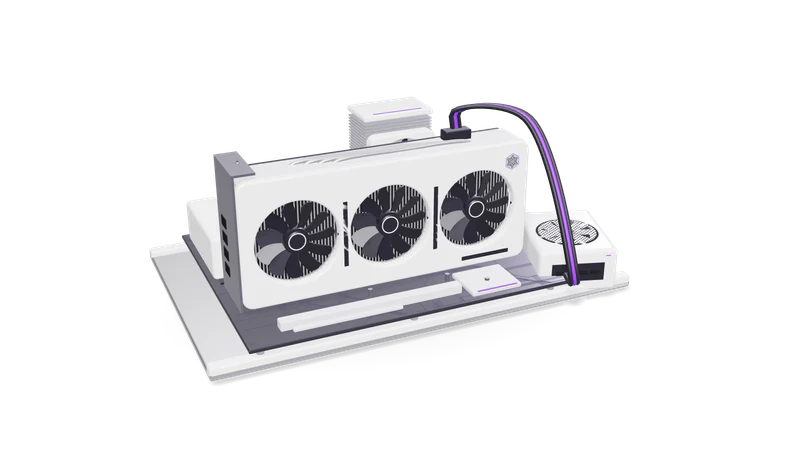
3D render of a triple fan graphics card in a PCIe slot on an open test bench with a CPU cooler and RAM

Definition

The model learns to remove noise added to real images. To generate, it cleans up fresh random noise step by step, guided by your prompt.

Read more about Definition

A diffusion model is a type of generative model. During training, real images have random noise added to them in many small steps until they are pure static, and the model learns to predict and remove that noise one step at a time. At generation time it starts from fresh random noise and repeatedly denoises it, guided by your text prompt, until a clean image remains.

Well known examples include Stable Diffusion, FLUX from Black Forest Labs, and open video models such as Wan. Many hosted image and video tools use the same family of techniques.

How it works in practice

Latent space

Working on a compressed image, not full pixels, lets models run on consumer GPUs.

Read more about Latent space

Most modern models denoise a compressed representation (a latent) rather than full-size pixels, then decode it to an image. This is what made them run on consumer GPUs.

Text conditioning

A text encoder turns your prompt into numbers that steer every denoising step.

Read more about Text conditioning

A text encoder turns your prompt into numbers that steer each denoising step.

Steps, seed and guidance

The seed fixes the starting noise, steps add detail, and guidance sets prompt strictness.

Read more about Steps, seed and guidance

More steps can add detail. The seed fixes the starting noise, so the same seed and settings reproduce the same image. The guidance scale sets how strictly the image follows the prompt.

Control inputs

ControlNet, reference images and LoRAs steer pose, layout, style or a specific product.

Read more about Control inputs

Add-ons such as ControlNet or reference images steer pose, layout or style, and a LoRA can teach a specific product or character.

Where it matters in business

Product and marketing visuals

Backgrounds, lifestyle scenes and product shot variations for ads and listings.

Read more about Product and marketing visuals

Backgrounds, lifestyle scenes and variations of a product shot for ads and listings.

Video

Short generated clips, b-roll and animated stills for social posts and explainers.

Read more about Video

Short generated clips, b-roll and animated stills for social content and explainers.

Design exploration

Quick mood boards and concept options before a designer picks a direction.

Read more about Design exploration

Fast mood boards and concept options before a designer commits to a direction.

A practical example

A store keeps the real product photo and generates only seasonal backgrounds around it, saving each approved image's seed and settings.

Read more about A practical example

An e-commerce brand photographs each product once on a plain background. A diffusion pipeline generates seasonal backgrounds around the real product cut-out, rather than redrawing the product itself, so labels and colours stay accurate. A designer picks the best results, and the seed and settings for each approved image are saved so it can be regenerated at a higher resolution later.

Common mistakes

Letting the model redraw the product

Diffusion invents details like packaging text, logos and hands. Keep the real product photo.

Read more about Letting the model redraw the product

Diffusion invents details. Text on packaging, logos and hands are frequent failure points. Keep the real product photo where accuracy matters.

Ignoring licences and rights

Check the model licence for commercial use and avoid copying artists or real people.

Read more about Ignoring licences and rights

Check the model licence for commercial use, and avoid prompts that copy a living artist's style or a real person's likeness.

Not saving settings

Without seed, model version and parameters, you cannot reproduce an approved image.

Read more about Not saving settings

Without the seed, model version and parameters, you cannot reproduce or fix an approved image.

Questions

Is a diffusion model the same as an LLM?

No. A large language model predicts the next token of text. A diffusion model generates an image, video or audio by removing noise over many steps. Some products combine both, using an LLM to write a detailed prompt for the diffusion model.

Why does the same prompt give different images?

Each run starts from different random noise unless you fix the seed. Fixing the seed, model and settings makes results repeatable.

Can I run a diffusion model on my own computer?

Yes, many open models run on a consumer GPU with 8 GB or more of VRAM using tools such as ComfyUI. Larger models and video need more memory and time.

Last updated